
HP Deskjet F2280 Ink Cartridges
Your HP Deskjet F2280 uses the 21, 21XL, 22, 22XL ink cartridge series, operating on a reliable compact thermal inkjet setup engineered to deliver crisp professional text documents, high-volume archival business paperwork, and sharp office spreadsheets. Backed by our 4.8 Google rating, we are dedicated to supplying premium replacements that guarantee precise black text alignment and clean greyscale background gradients. We have been providing replacement alternatives for this specific setup since Jan 2008, helping busy corporate environments, industrial workspaces, and school offices maintain a steady, high-efficiency workflow. Because multi-colour inkjet printing systems process heavy text workloads rapidly, operations teams frequently select high-capacity multi-pack bundle options to simplify supply management and optimise long-term print value.

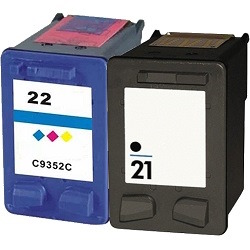

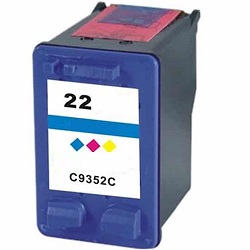

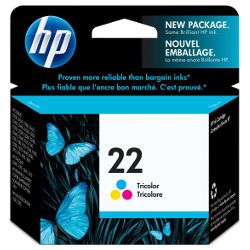
Page yield expectations and corporate printing lifecycles
Maintaining high office productivity requires transparent oversight over inventory stock levels and individual cartridge lifespans. HP establishes expected page yield capacities for the 21 standard black and 22 standard colour ink configurations using standardised manufacturer coverage metrics, which track continuous liquid ink consumption using uniform text pages. Review the detailed product options below to assess print capacities before completing your purchase.
| Cartridge Number | Type | Colour | Page Yield | Cost Per Page |
|---|---|---|---|---|
| 21 | Standard | Black | 185 | $0.24 |
| 22 | Standard | Colour | 170 | $0.34 |
Cost Per Page = Total Cartridge Price ÷ Page Yield (at 5% coverage). Prices based on Genuine cartridges.
Genuine and premium compatible ink cartridges
Lowering ongoing workplace printing expenses is straightforward when transitioning to premium replacement options. Utilizing authentic factory-certified original equipment manufacturer (OEM) consumables or premium compatible alternative office supplies provides total compatibility without risk. These durable components match original factory specifications in their physical housing structure, fine liquid formulation properties, and deep black density, ensuring your official corporate reports, legal documentation, and administrative manifests retain an entirely professional presentation. Discover more about managing your office consumable choices by reading our genuine vs compatible cartridges guide.
Best ways to manage your print supply
When your daily schedule involves heavy administrative document production, medical transcription logs, or high-volume report sets, ordering 21 and 22 multi-pack bundle configurations provides the most secure protection against unexpected downtime during a major print run. Every premium replacement or original ink supply unit is backed by a full warranty, giving total financial peace of mind to procurement teams. Free shipping applies to all transactions exceeding $99. To facilitate rapid logistics nationwide, we dispatch packages directly from regional distribution centres across Sydney, Melbourne, Brisbane, Adelaide, and Perth. Browse our complete range of HP ink cartridges and toners to restock your team.
Pro Tip
The HP Deskjet F2280 is designed with a rear-hinged scanner lid assembly that exposes the optical glass plate for manual document duplication. To protect the mechanical drive belt and scan carriage bar from alignment failure, ensure no overhead shelving blocks the scanner lid from pivoting open smoothly to its complete vertical extension angle during office copying tasks.
Frequently Asked Questions
Can I utilise high-yield 21XL or 22XL ink cartridges in my HP Deskjet F2280 printer?
Yes, the printer fully supports both the standard-yield 21/22 series and the high-capacity 21XL/22XL variations. Upgrading to high-yield alternatives is an excellent choice for active office workgroups, as they fit identically into the dual-cartridge carriage bays while carrying a larger volume of ink to lower overall running costs.
Why does the printer display a flashing ink error light after inserting a new compatible cartridge?
Legacy inkjet printers sometimes requires an electronic reset to clear historical cartridge tracking profiles. If a fresh unit prompts a flashing alert, remove the cartridge from its bay, clean the built-in gold micro-circuit contact strip with a dry lint-free cloth to eliminate static dust, and firmly clip it back into place.
What are the financial advantages of selecting 21/22 compatible multi-pack bundles?
Sourcing premium compatible multi-pack bundles allows office procurement departments to purchase both necessary black and tri-colour cartridges together at a reduced unit cost. This safeguards your workplace against unexpected project halts during critical document compilation runs while maximizing value out of your administrative operational budget.


