
HP Deskjet F2180 Ink Cartridges
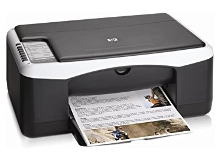
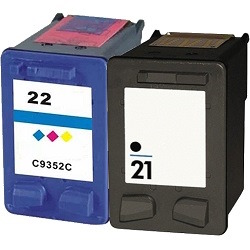
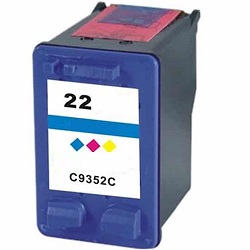
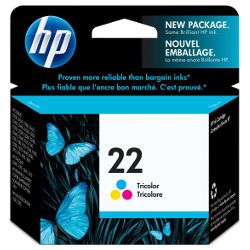
Your HP Deskjet F2180 uses the 21 / 22 cartridge series, operating on a two-cartridge setup with one black and one tri-colour ink cartridge. We have been supplying reliable printer consumables for this system since Jul 2007. Our 4.8 Google rating proves it: we consistently supply premium cartridges backed by rock-solid reliability. For home users, the integrated head setup means replacing a cartridge replaces the firing nozzle, keeping prints crisp despite occasional text printing needs.


What to expect from each cartridge type
The standard black cartridge delivers a yield of roughly 185 pages, while the tri-colour cartridge outputs around 170 pages. These limits are measured following international ISO/IEC 24711 compliance standards, though total yields depend heavily on regular font thickness and colour choices.
| Cartridge Number | Type | Colour | Page Yield | Cost Per Page |
|---|---|---|---|---|
| 21 | Standard | Black | 185 | $0.24 |
| 22 | Standard | Colour | 170 | $0.34 |
Cost Per Page = Total Cartridge Price ÷ Page Yield (at 5% coverage). Prices based on Genuine cartridges.
Choosing between genuine and compatible options
Opting for premium compatible cartridges offers an exceptional pathway to lowering printing costs without risking damage to your printer. Under Australian Consumer Law, using compatible cartridges does not void your printer warranty.
Best way to stock these cartridges
If you print mainly text documents, purchasing standalone black ink replacements is the most direct solution. If you print colourful school assignments, picking up a combination bundle pack delivers better value upfront. Compatible units are completely protected by our no-risk money-back guarantee. Free delivery applies on all orders over $99. We fulfil and ship orders daily from our regional logistics facilities across Brisbane, Sydney, Melbourne, Adelaide and Perth. Browse the absolute full selection on our dedicated HP ink cartridges hub, and check our returns policy for additional details.
Pro Tip
The tri-colour cartridge contains three distinct cyan, magenta, and yellow ink wells inside a single shell. If you print graphics containing heavy amounts of one specific tone, that isolated chamber will empty first, prompting a replacement message even if the other two internal sections remain completely full.
Frequently Asked Questions
Can I run a standard 21 black cartridge alongside a high-yield 22XL colour cartridge?
Yes, this two-slot layout allows you to mix standard and high-yield sizes simultaneously. The printer reads each cartridge microchip independently, allowing you to scale up the yield size of whichever cartridge you deplete fastest.
Why does my computer show an ink low alert right after fitting a new compatible cartridge?
Older printer logic loops sometimes recall the electrical memory of the old cartridge and display an error. You can clear this warning status and reset print tracking by pressing down the Stop/Reset button on your printer deck for five seconds.
Will the ink nozzles dry out and block up if I only print once a month?
Yes, because the micro-nozzles are attached directly to the base of the 21 and 22 cartridges, sitting idle lets stray ink thicken and block the ports. Running a single test print page every two weeks keeps the ink paths fluid and clear.


