
HP Deskjet F2100 Ink Cartridges
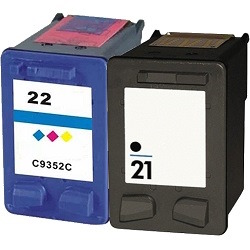
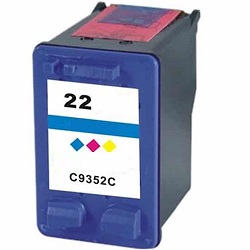
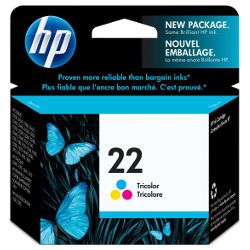
Your HP Deskjet F2100 uses the 21 / 22 cartridge series, requiring one black and one tri-colour cartridge. We have been supplying reliable printer consumables for this system since Sep 2009. Our 4.8 Google rating reflects a long-standing track record of premium cartridge performance. For home users, the integrated printhead design means replacing the cartridge completely refreshes the firing mechanism, preventing issues when printing infrequently.



Expected page output and replacement cycles
The standard black cartridge has an expected yield of 185 pages, while the tri-colour cartridge provides approximately 170 pages. These values are measured using industry-standard ISO/IEC 24711 test patterns, though real-life results depend on colour balance and text density.
| Cartridge Number | Type | Colour | Page Yield | Cost Per Page |
|---|---|---|---|---|
| 21 | Standard | Black | 185 | $0.24 |
| 22 | Standard | Colour | 170 | $0.34 |
Cost Per Page = Total Cartridge Price ÷ Page Yield (at 5% coverage). Prices based on Genuine cartridges.
Choosing between genuine and compatible options
Utilising premium compatible cartridges offers an excellent opportunity to reduce running costs without risking damage to your printer. Under Australian Consumer Law, using compatible cartridges does not void your printer warranty.
How most users manage replacements
If you print mainly text, opting for the standalone black cartridge is highly economical. If you print a mix of colourful documents, purchasing both as a bundle pack reduces initial outlay. Compatible cartridges are fully covered by our robust money-back guarantee. Free delivery applies on all orders over $99. We ship directly from our national warehouses in Sydney, Melbourne, Brisbane, Adelaide and Perth to ensure quick delivery. View the full range of options in our HP ink cartridges collection, and review our returns policy for added peace of mind.
Pro Tip
The tri-colour cartridge houses three separate ink reservoirs. If you print documents with heavy blocks of a single colour, like yellow borders or red logos, that specific chamber will run dry first, requiring you to replace the entire colour cartridge even if the other chambers are still full.
Frequently Asked Questions
Can I use high-yield 21XL or 22XL cartridges in my printer if I previously used standard 21 and 22?
Yes, high-yield XL cartridges are physically the same size and shape as standard cartridges. They contain more ink inside the internal chamber and fit into the exact same carriage slots in your printer.
Why does my printer show an ink low error immediately after installing a compatible cartridge?
Compatible cartridges are sometimes reported as low or empty by older printers because the printer remembers the serial chip registration of the previously installed cartridge. You can usually bypass this message and print normally by pressing and holding the Stop/Reset button on the printer for five seconds.
Will the ink nozzles clog if I leave this printer idle for several weeks?
Yes, because the firing nozzles are built directly onto the base of the 21 and 22 cartridges, sitting idle allows residual ink to dry out and clog. Running a quick single-page nozzle check once a fortnight keeps the ink flowing smoothly.


