
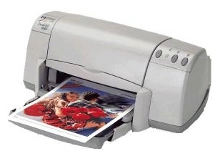
HP Deskjet 930c Ink Cartridges
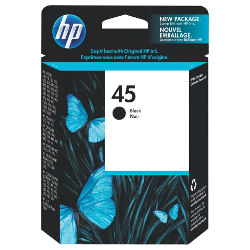
Your HP Deskjet 930c uses the 45 cartridge series. We have been supplying replacement consumables for this printer since Jul 2007. Operating on a dedicated single black ink setup as presented on this page, managing printing costs means selecting high-capacity tanks that match your steady document workflows. Our 4.8 Google rating reflects a long-standing track record of premium cartridge performance.

Expected page output and replacement cycles
Page yields for these cartridges are measured against industry standard document test metrics for black inkjet cartridges. Heavy text layouts and dark graphics deplete the reservoir faster than regular text documents, making your specific page content the primary factor in replacement intervals.
| Cartridge Number | Type | Colour | Page Yield | Cost Per Page |
|---|---|---|---|---|
| 45 | Standard | Black | 883 | $0.15 |
Cost Per Page = Total Cartridge Price ÷ Page Yield (at 5% coverage). Prices based on Genuine cartridges.
Choosing between genuine and compatible options
Under Australian Consumer Law, using compatible cartridges does not void your printer warranty. Opting for compatible options provides a massive reduction in printing costs while maintaining a high clear output for standard business or home text documents. To see a detailed breakdown of how these alternatives square up against the manufacturer equivalents, explore our genuine vs compatible cartridges comparison guide.
Selecting the right cartridge setup for your prints
If you print mainly text documents, choosing compatible alternatives allows you to lock in a significantly lower ongoing price per page. Home or office environments that require absolute factory standards can stick with genuine consumables, which are backed by our straightforward money-back guarantee outlined in our returns policy. Free delivery applies on all orders over $99, with goods dispatched daily from our logistics hubs in Perth, Brisbane, Sydney, Melbourne and Adelaide. Looking for setups for a different model? View our complete HP ink cartridges range.
Pro Tip
The 45 cartridge series utilises an integrated printhead built directly onto the cartridge base. If your printer has been sitting idle and the ink dries out, replacing the entire cartridge completely refreshes the firing mechanism, resolving stubborn clogging or banding issues instantly.
Frequently Asked Questions
Why does the genuine 45 cartridge show a slightly different page yield compared to the compatible 45 cartridge?
Minor variances occur due to variations in internal liquid formulation densities and the sponge-free structural delivery mechanisms used by different manufacturers, though both physical fitments match perfectly.
Can I leave a compatible 45 cartridge in my printer for a long time without it drying out?
These cartridges rely on a sealed cap design, but extended periods of non-use can cause tiny amounts of ink to dry at the nozzle tip. Running a standard built-in nozzle printhead clean usually liquefies any dried residue.
Will my printer prompt an error message when I install the compatible 45 cartridge option instead of the genuine one?
Some legacy printer software versions might display a message stating a non-genuine cartridge is inserted. Simply select continue or press the physical resume button on the printer to clear the alert and proceed.


