
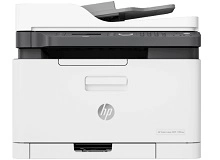
HP Color LaserJet MFP 179fnw Toner Cartridges
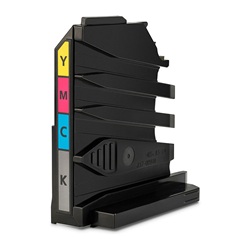
Your HP Color LaserJet MFP 179fnw uses the 119A toner cartridge series, working alongside a separate 120A imaging drum and a 5KZ38A waste toner collection unit. Ink Depot has been supplying consumables for this printer since Aug 2019, supporting users with the complete four-colour laser setup comprising individual black, cyan, magenta, and yellow replacements. For a small business environment, standard office documents generally exhaust the black cartridge significantly faster than the individual colour elements. Our 4.8 Google Star rating shows that our customers consistently receive high-quality cartridges backed by reliable performance.





Page yield expectations
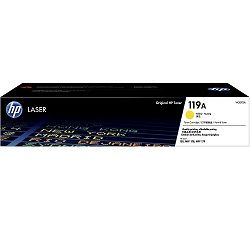
These standard-yield laser toners produce an expected output tested under the ISO/IEC 19798 quality standard for colour laser printing. The black cartridge provides up to 1,000 pages, while each individual colour element delivers approximately 700 pages, establishing a predictable duty cycle for small office document workflows.
| Cartridge Number | Type | Colour | Page Yield | Cost Per Page |
|---|---|---|---|---|
| 119A | Standard | Black | 1,000 | $0.087 |
| 119A | Standard | Cyan | 700 | $0.14 |
| 119A | Standard | Magenta | 700 | $0.14 |
| 119A | Standard | Yellow | 700 | $0.14 |
Cost Per Page = Total Cartridge Price ÷ Page Yield (at 5% coverage). Prices based on Genuine cartridges.
Choosing between genuine and compatible options
Genuine HP 119A toners provide factory-standard reliability for high-resolution graphics, while compatible alternatives offer direct cost reductions for standard business documents. Under Australian Consumer Law, using compatible cartridges does not void your printer warranty. Every compatible option supplied is manufactured to match the physical fit and performance of original equipment, providing an easy option to lower ongoing printing costs without impacting your printer protections. You can read a complete breakdown of performance differences in our genuine vs compatible cartridges comparison guide.
Managing the drum and waste toner lifecycles
Beyond standard toners, this printer relies on a 120A imaging drum (W1120A) lasting up to 16,000 pages and a 5KZ38A waste toner container rated for 7,000 pages. The printer will alert you independently when these parts reach the end of their operational lifespan. Experience Tip: When replacing the 120A imaging drum, ensure the printer is turned on when installing the new unit so the internal page counter resets correctly and clears the replacement prompt.
Choosing the right cartridge setup
If you print mainly text documents, purchasing individual black toners or high-value bundle packs ensures you always have black replacements on hand without over-ordering colours. Small businesses looking to minimise printing costs can safely choose premium compatibles, which carry a full money-back guarantee if they do not perform perfectly. Free delivery applies on all orders over $99, and we ship directly from regional warehouses in Perth, Brisbane, Sydney, Melbourne, and Adelaide to ensure minimal office downtime. View our full range of replacement options on the main HP toner cartridges category page, and review our standard return conditions on our Returns policy page.
Pro Tip
Never store spare 119A toner cartridges or the 120A drum unit in direct light or high-humidity office environments, as exposed laser components deteriorate quickly when removed from their protective packaging prior to actual installation.
Frequently Asked Questions
Why does my printer say toner is low when I recently changed the 119A cartridge?
This error usually occurs if the printer is processing a backlog of memory cache or if the microchip on the cartridge was not read properly during installation. Turn the printer off, unplug the power cable for two minutes, re-seat the toner firmly into its slot, and turn it back on to force a fresh system reset.
Do I need to replace the 120A imaging drum every time I buy new toners?
No, the 120A imaging drum has a much longer operational lifecycle of roughly 16,000 pages, meaning you will generally go through multiple cycles of 119A toner replacements before the printer prompts you to install a fresh drum unit.
Can I continue printing if one of the colour toners runs out completely?
The printer requires all four cartridges (W2090A, W2091A, W2092A, and W2093A) to have some remaining toner to complete its internal calibration cycles. If any colour cartridge is entirely empty, the printer will lock printing functions until that specific cartridge is replaced.


