
HP Color LaserJet 2800 2820 2830 2840 Toner Cartridges
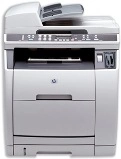
Your HP Colour LaserJet 2830 uses the 122A toner cartridge series, operating on a high-capacity multi-pass colour laser setup engineered to deliver crisp professional text documents, high-volume archival business paperwork, and sharp office spreadsheets. Backed by our 4.8 Google rating, we are dedicated to supplying premium replacements that guarantee precise black text alignment and clean greyscale background gradients. We have been providing replacement alternatives for this specific setup since Jun 2013, helping busy corporate environments, industrial workspaces, and school offices maintain a steady, high-efficiency workflow. Because multi-colour laser printing systems process heavy text workloads rapidly, operations teams frequently select high-capacity multi-pack bundle options to simplify supply management and optimise long-term print value.
No Products found
Page yield expectations and corporate printing lifecycles
Maintaining high office productivity requires transparent oversight over inventory stock levels and individual cartridge lifespans. HP establishes expected page yield capacities for the 122A standard yield toner configurations using standardised manufacturer coverage metrics, which track continuous dry powder consumption using uniform text pages. Review the detailed product options below to assess print capacities before completing your purchase.
Genuine factory toner cartridges
Lowering ongoing workplace printing expenses is straightforward when transitioning to premium replacement options. Utilising authentic factory-certified original equipment manufacturer (OEM) consumables provides total compatibility without risk. These durable components match original factory specifications in their physical housing structure, fine polymer powder melting properties, and vibrant colour density, ensuring your official corporate reports, legal documentation, and administrative manifests retain an entirely professional presentation. Discover more about managing your office consumable choices by reading our genuine vs compatible cartridges guide.
Best ways to manage your print supply
When your daily schedule involves heavy administrative document production, medical transcription logs, or high-volume report sets, ordering 122A toner configurations provides the most secure protection against unexpected downtime during a major print run. Every premium original toner supply unit is backed by a full manufacturer warranty, giving total financial peace of mind to procurement teams. Free shipping applies to all transactions exceeding $99. To facilitate rapid logistics nationwide, we dispatch packages directly from regional distribution centres across Sydney, Melbourne, Brisbane, Adelaide, and Perth. Browse our complete range of HP ink cartridges and toners to restock your team.
Pro Tip
The HP Colour LaserJet 2830 multi-pass design uses a central rotating carousel assembly to align each individual colour cartridge over the transfer drum in succession. To maintain sharp registration alignment and vibrant colour clarity during complex graphical print jobs, always let the printer complete its automated mechanical calibration sequence undisturbed when powering on the system or replacing your toner supply.
Frequently Asked Questions
Does the 122A series require a separate drum module to transfer the dry powder to the paper?
Yes, this legacy multi-pass colour laser infrastructure relies on an independent imaging drum framework to bind the dry polymer powder onto the page. The toner cartridge holds the raw powder hopper, meaning you can swap out an exhausted colour cartridge independently without needing to throw away or replace the underlying optical transfer at the same time.
Why does my colour document display thin horizontal bands or irregular light spots?
Fine horizontal lines or faded sections typically point to surface dust or stray powder residue resting on the internal optical lasers or the rotating transfer assembly. Running a manual cleaning cycle directly from the system control panel helps clear loose particles, restoring sharp, uniform colour layers across corporate documents.
How should I store spare toner cartridges to protect their shelf life before use?
To preserve the internal components and powder formulation, keep your spare cartridges flat in their original protective packaging within a cool, dry room away from direct heat or humidity. Storing them upright can cause the heavy micro-fine powder to settle unevenly on one side, which impacts initial text density when first installed.


