
Epson WorkForce WF-3640 Ink Cartridges
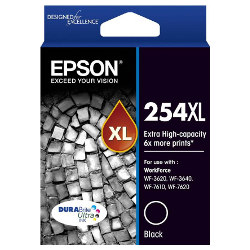
Your Epson WorkForce WF-3640 uses the 252 / 252XL / 254XL ink series. Our 4.8 Google rating proves it: we consistently supply premium cartridges backed by rock-solid reliability. Supplying high-volume workplaces with these four-colour individual ink setups since Apr 2014, we notice busy offices quickly move past standard capacities. Swapping the high-rate black cartridge to the Extra Extra High Yield 254XL prevents frequent job pauses during heavy print runs.


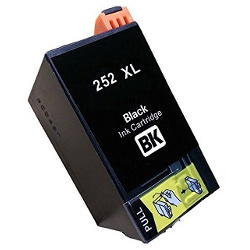
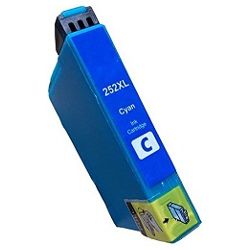

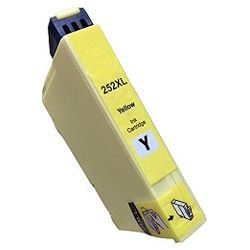

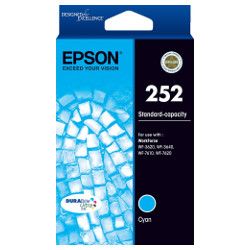
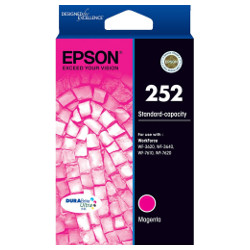


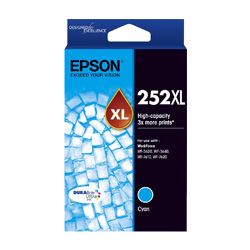
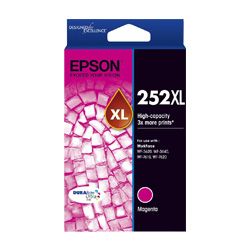

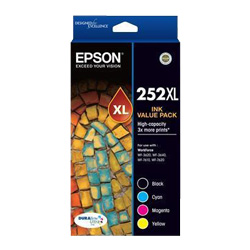
Expected Page Output and Capacity Guidance
Standard 252 cartridges suit light usage, whereas the high-yield 252XL and extra high-yield 254XL options cater to heavy office workloads. Page yields follow standard ISO/IEC 24711 testing parameters for inkjet consumables, though actual throughput varies based on document coverage, paper type, and print density.
| Cartridge Number | Type | Colour | Page Yield | Cost Per Page |
|---|---|---|---|---|
| 252 | Standard | Black | 250 | $0.11 |
| 252 | Standard | Cyan | 300 | $0.095 |
| 252 | Standard | Magenta | 300 | $0.095 |
| 252 | Standard | Yellow | 300 | $0.095 |
| 252XL | High Yield | Black | 1,100 | $0.048 |
| 252XL | High Yield | Cyan | 1,100 | $0.048 |
| 252XL | High Yield | Magenta | 1,100 | $0.048 |
| 252XL | High Yield | Yellow | 1,100 | $0.048 |
| 254XL | Extra High Yield | Black | 2,200 | $0.035 |
Cost Per Page = Total Cartridge Price ÷ Page Yield (at 5% coverage). Prices based on Genuine cartridges.
How to Choose the Right Cartridge Combination
If your office produces long text documents daily, pairing a 254XL high-capacity black cartridge with 252XL colour tanks delivers the best balance of longevity and value. For teams running lower print runs, standard 252 units keep upfront costs down. Selecting compatible supplies provides significant cost relief without sacrificing performance, backed by a full money-back guarantee for complete peace of mind. We process and ship orders directly from our local warehouses in Perth, Brisbane, Sydney, Melbourne, and Adelaide. Browse our full range of Epson ink cartridges, and remember that Free delivery applies on all orders over $99. For details on returns, view our returns policy.
Choosing Between Genuine and Compatible Cartridges
Compatible cartridges offer a practical alternative to original manufacturer supplies, significantly lowering daily office spending without compromising print output. Under Australian Consumer Law, using compatible cartridges does not void your printer warranty. Read our detailed guide on genuine vs compatible cartridges to determine which option best fits your printing environment.
Managing Maintenance Components
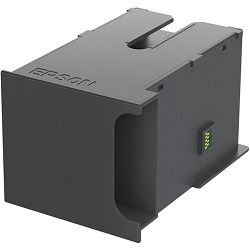
The C13T671100 maintenance box collects excess ink flushed during automatic printhead cleaning cycles.
Experience Tip: Keep a spare maintenance box on hand, as the printer will completely halt operation once the internal reservoir reaches capacity to prevent internal ink spills.
Pro Tip
Do not mix standard 252 and high-yield XL cartridges in a single purchase if you plan on changing all inks simultaneously; the black cartridge depletes significantly faster than colour tanks during heavy text printing, so ordering a 254XL black along with standard 252XL colours aligns replacement schedules much better.
Frequently Asked Questions
Can I use the high-capacity 254XL black cartridge alongside standard 252XL colour cartridges?
Yes, the 254XL black cartridge uses the same physical slot inside the printer as the standard 252 and 252XL black tanks, allowing you to mix and match sizes according to your document needs.
Why does my colour ink level drop even when printing exclusively in black and white?
The printer uses small amounts of colour ink during periodic printhead maintenance cycles to keep the nozzles clear and prevent printhead clogging, ensuring consistent print quality over time.
How do I know when the maintenance box needs to be replaced?
The printer displays a clear warning on its control panel when the C13T671100 maintenance box is nearly full, giving you enough time to order a replacement before the printer locks to prevent ink overflow.


