
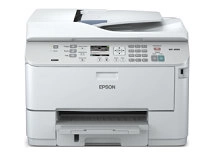
Epson WorkForce Pro WP-4590 Ink Cartridges
Shop ink cartridges for your Epson WorkForce Pro WP-4590, which relies on the Epson C13T671000 maintenance kit. Ink Depot has been supplying reliable consumables for this printer since Jun 2015. Designed for demanding office environments, this heavy-duty workgroup inkjet printer requires timely replacement of the waste ink box to maintain uninterrupted workflow. Our 4.8 Google rating proves it: we consistently supply premium cartridges backed by rock-solid reliability.

Expected Output and Maintenance Cycles
Page yields for Epson business consumables follow ISO/IEC 24711 standards for inkjet printing systems. The C13T671000 maintenance box absorbs surplus ink during automated cleaning cycles, maintaining peak operating performance across high-volume document runs.
Epson Maintenance Box Requirements
Experience Tip: The C13T671000 maintenance box captures ink used during printhead maintenance, and replacing it as soon as the printer signals full prevents unexpected printing holds.
Managing Your WorkForce Pro Replacements
If you handle high-volume text documents daily, keeping a spare maintenance unit on hand prevents sudden operational stops. All consumables are backed by our Returns policy for your peace of mind. Browse our full range of Epson ink cartridges and supplies to keep your workplace running smoothly. We dispatch fast from warehouses in Perth, Brisbane, Sydney, Melbourne and Adelaide. Free delivery applies on all orders over $99.
Pro Tip
Always replace the C13T671000 maintenance box promptly when notified, as the printer will halt all print jobs once the unit reaches full capacity to prevent ink spillage.
Frequently Asked Questions
What is the purpose of the C13T671000 maintenance box in the WorkForce Pro WP-4590?
The C13T671000 maintenance box stores excess ink flushed from the system during routine printhead cleaning cycles. It ensures waste ink is safely contained without damaging internal components.
Will the Epson WorkForce Pro WP-4590 continue printing if the maintenance box is full?
No, the printer locks print operations once the maintenance unit reaches capacity to prevent overflow. Keeping a spare unit nearby avoids unnecessary downtime during critical printing tasks.
How often does the C13T671000 maintenance box need replacing?
Replacement frequency depends on your overall print volume and how often automated printhead cleans occur. High-volume office environments will replace the maintenance box periodically after extensive document production.


