
Epson WorkForce 630 Ink Cartridges
Your Epson WorkForce 630 633 uses the 138 cartridge series, operating on individual black, cyan, magenta, and yellow tanks that let you replace only the depleted colour. Having supplied consumables for this printer since Nov 2010, we notice home office users frequently exhaust black ink while colour levels remain stable. Our 4.8 Google rating proves it: we consistently supply premium cartridges backed by rock-solid reliability.


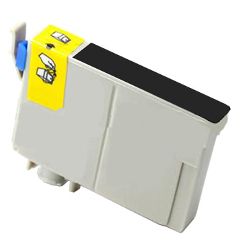
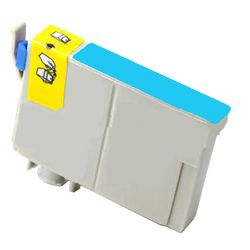


What to expect from each cartridge type
Page yields are tested in accordance with ISO/IEC 24711 standard specifications for inkjet systems, measuring continuous output across daily document printing. Standard capacity cartridges yield approximately 380 pages for black and 420 pages for each individual colour tank.
| Cartridge Number | Type | Colour | Page Yield | Cost Per Page |
|---|---|---|---|---|
| 138 | High Yield | Black | 380 | $0.035 |
| 138 | High Yield | Cyan | 420 | $0.032 |
| 138 | High Yield | Magenta | 420 | $0.032 |
| 138 | High Yield | Yellow | 420 | $0.032 |
Cost Per Page = Total Cartridge Price ÷ Page Yield (at 5% coverage). Prices based on Compatible cartridges.
Choosing between genuine and compatible cartridges
Opting for third-party cartridges provides a practical path to reducing everyday running costs without sacrificing output clarity. Under Australian Consumer Law, using compatible cartridges does not void your printer warranty. For a detailed breakdown of performance standards and manufacturing differences, read our genuine vs compatible cartridges guide.
How most users manage replacements
Stocking up on full colour sets or multi-packs prevents sudden downtime when a single colour runs dry mid-job. Compatible options come backed by a money-back guarantee, offering total protection if performance fails to meet expectations. Free delivery applies on all orders over $99, dispatched quickly from local fulfilment centres across Perth, Brisbane, Sydney, Melbourne, and Adelaide. Browse our complete range of Epson ink cartridges to stock up today, supported by simple online returns via our Returns policy.
Pro Tip
Individual colour channels in this series mean printing will pause if any single tank drops below critical thresholds, even if you are only attempting to print a monochrome document—keep a spare black and cyan on hand to ensure continuous operation.
Frequently Asked Questions
Why does my Epson printer refuse to print in black and white when a colour cartridge is empty?
Epson inkjet systems require a minimum fluid level in every individual colour cartridge to cool the MicroPiezo printhead nozzles during operation. Running a print cycle with an empty cartridge can introduce air pockets into the micro-fluidic lines or overheat the micro-actuators, so the printer enforces a physical lock until the depleted tank is replaced.
Can I mix genuine Epson cartridges with compatible cartridges in this printer?
Yes, you can install compatible cartridges alongside genuine Epson tanks without issue. The printer tracks remaining ink volume via the microchips attached to each unit independently, allowing seamless operation across mixed sets.
Why does my colour ink level drop slightly even when I only print black text documents?
During standard maintenance cycles and startup checks, the printer purges tiny amounts of ink from all nozzle channels to clear micro-clogs and prevent printhead drying. Additionally, default driver settings often mix small percentages of cyan or magenta into dark tones to produce richer composite black text.


