
Epson CX3700 Ink Cartridges
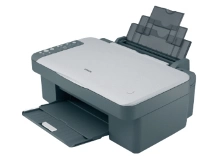
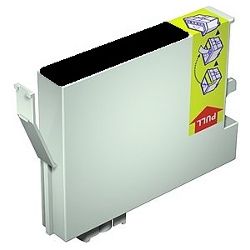
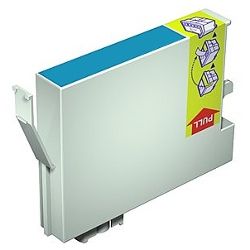
Shop ink cartridges for your Epson Stylus CX3700, which uses the Epson T0631-T0634 ink cartridges series. Replacing individual T0631 black or T0632-T0634 colour cartridges as they run low prevents unnecessary ink waste during everyday document printing. Our 4.8 Google rating reflects a long-standing track record of premium cartridge performance.


Expected page output and ink performance
Page yield figures for these cartridges are measured under standard ISO/IEC 24711 testing procedures for inkjet printing. Actual page output varies based on document coverage, colour intensity, and print frequency during everyday home tasks.
| Cartridge Number | Type | Colour | Page Yield | Cost Per Page |
|---|---|---|---|---|
| T0631 | Standard | Black | 250 | $0.033 |
| T0632 | Standard | Cyan | 380 | $0.022 |
| T0633 | Standard | Magenta | 380 | $0.024 |
| T0634 | Standard | Yellow | 380 | $0.022 |
Cost Per Page = Total Cartridge Price ÷ Page Yield (at 5% coverage). Prices based on Compatible cartridges.
Choosing compatible T0631-T0634 cartridges
Using compatible cartridges provides an economical alternative for daily document printing without sacrificing print clarity. Under Australian Consumer Law, using compatible cartridges does not void your printer warranty. Learn more about performance standards in our genuine vs compatible cartridges guide.
Managing your replacement cartridge orders
If you print text documents regularly, keeping extra T0631 black cartridges on hand avoids unexpected downtime. For mixed colour printing, replacing individual T0632 Cyan, T0633 Magenta, or T0634 Yellow cartridges as needed maintains balanced colour output. Compatible cartridges ordered from Ink Depot are covered by our money back guarantee if they do not perform as expected. Free delivery applies on all orders over $99, dispatched quickly from local warehouses across Sydney, Melbourne, Brisbane, Perth, and Adelaide. Browse our full range of Epson ink cartridges or check our returns policy for complete confidence.
Pro Tip
When installing individual T0631-T0634 cartridges, replace only the specific colour indicated as empty by the printer status monitor to initialise proper ink flow without wasting remaining fluid in adjacent slots.
Frequently Asked Questions
Why does my Epson Stylus CX3700 require ink in all slots to print black text?
The Epson print system requires active fluid in all printhead channels-including Cyan, Magenta, and Yellow-to protect the micro-piezo nozzle elements during routine maintenance cycles. If any single cartridge is completely empty, the printer will pause all printing until a replacement cartridge is installed.
Can I mix compatible T0631-T0634 cartridges with genuine Epson cartridges?
Yes, compatible T0631, T0632, T0633, and T0634 cartridges are designed to function alongside original cartridges. You can replace individual colours with compatible cartridges as existing inks run out without needing to replace the entire set at once.
What should I do if a replacement T0631 cartridge is not recognised immediately?
If the printer reports an unrecognized cartridge after installation, remove the cartridge and wipe its gold micro-chip contacts with a clean, lint-free cloth before re-seating it firmly into the slot. This restores proper electrical contact with the print carriage readers.


