
Epson LQ-690 Ribbons
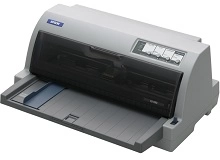
Shop ribbons for your Epson LQ-690, which uses the Epson S015610 ribbon cartridge. The LQ-690 is a heavy-duty 24-pin dot matrix printer designed for printing multi-part invoices and continuous dockets in demanding office environments. Installing genuine S015610 black ribbons ensures clear print impression across all paper layers. Our 4.8 Google rating reflects a long-standing track record of premium cartridge performance.

Ribbon Performance and Character Output
Fabric ribbon output for impact printers is measured in character capacity rather than standard A4 pages. High-density ribbon fabric ensures consistent density for heavy continuous runs across multi-part forms and carbonless dockets.
Ordering Ribbons and Delivery Details
For businesses producing daily carbon copies and continuous freight manifests, keeping spare S015610 ribbons on hand prevents printing delays. If your print volume increases, stocking multiple units ensures consistent line density without operational downtime. All purchases are backed by our returns policy for peace of mind. Free delivery applies on all orders over $99, with fast dispatch from our nationwide warehouses in Perth, Brisbane, Sydney, Melbourne and Adelaide. Browse our full range of Epson Ribbons for dependable supplies.
Pro Tip
Impact ribbon fabric can dry out if stored in open air for long periods. Keep spare S015610 ribbon cartridges sealed in their original airtight packaging until needed to maintain full ink lubrication and pin life.
Frequently Asked Questions
How do I know when the S015610 ribbon cartridge needs replacing on the Epson LQ-690?
Replace the S015610 ribbon when text output becomes light grey or multi-part carbon copies fail to show crisp impressions on the lower pages. Unlike inkjet cartridges, impact ribbons wear down gradually rather than stopping abruptly.
Can I re-ink or manually wind the Epson S015610 ribbon cartridge?
Manual re-inking or rewinding is not recommended as uneven ink application can transfer debris into the printhead assembly, potentially damaging the print pins and causing misaligned characters during high-speed dot matrix printing.
What causes the ribbon fabric to jam or twist inside the LQ-690 ribbon drive mechanism?
Fabric jamming usually occurs when the ribbon guide is improperly seated during installation or if the ribbon path lacks sufficient tension. Ensure the ribbon passes smoothly between the printhead mask and ribbon shield before locking the cartridge down.


