
Epson Expression Home XP-245 Ink Cartridges
Your Epson Expression Home XP-245 uses the 29XL cartridge series featuring individual four-colour ink units. As demonstrated by our 4.8 Google rating, we are committed to providing premium consumable cartridges. Supplying compatible cartridges for this printer since Sep 2023, we understand home users frequently experience uneven depletion across individual colours depending on document types. Replacing cartridges individually rather than in complete sets prevents premature disposal of usable ink.


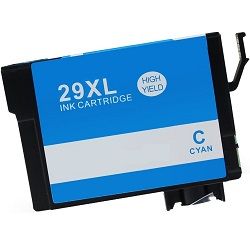


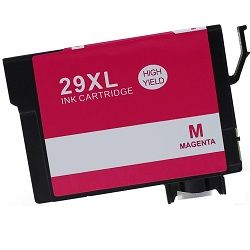
Expected page output and replacement cycles
Page yields for the 29XL high-yield ink series are measured in accordance with ISO/IEC 24711 standards for inkjet printing. Actual page output varies based on document density, print frequency, and colour coverage across individual cartridges.
| Cartridge Number | Type | Colour | Page Yield | Cost Per Page |
|---|---|---|---|---|
| 29XL | High Yield | Black | 470 | $0.017 |
| 29XL | High Yield | Cyan | 450 | $0.016 |
| 29XL | High Yield | Magenta | 450 | $0.016 |
| 29XL | High Yield | Yellow | 450 | $0.016 |
Cost Per Page = Total Cartridge Price ÷ Page Yield (at 5% coverage). Prices based on Compatible cartridges.
What to know about compatible cartridges
Under Australian Consumer Law, using compatible cartridges does not void your printer warranty. Compatible 29XL cartridges deliver identical capacity to original units while drastically reducing daily printing expenses. For a detailed comparison of performance and build quality, read our genuine vs compatible cartridges guide.
How most users manage replacements
Replacing individual 29XL cartridges as they run out maintains smooth operation for daily home printing. If a specific colour depletes faster due to heavy graphic or photo printing, swapping just that individual unit prevents unnecessary expenditure. All orders are backed by our money-back guarantee, alongside risk-free ordering under our standard returns policy. Free delivery applies on all orders over $99, dispatched quickly from our local warehouses in Perth, Brisbane, Sydney, Melbourne, and Adelaide. Browse our complete range of Epson ink cartridges to stock up today.
Pro Tip
When replacing individual 29XL cartridges, always leave the depleted cartridge installed until the new replacement is ready to go in. Exposing the printhead air nozzles without a cartridge inserted can cause ink in the micro-channels to dry out quickly, leading to stubborn printhead clogs.
Frequently Asked Questions
Can I replace just one colour cartridge, or do I need to replace all four at once?
You can replace individual 29XL ink cartridges one at a time as they run out. The printer uses individual colour channels, so replacing a single depleted cyan, magenta, yellow, or black unit will not affect or require the replacement of the remaining cartridges.
Why does my black 29XL ink deplete faster even when I print colour photos?
The Epson XP-245 printer engine uses black ink to build depth, shadows, and contrast in colour prints alongside standard text documents. Because composite black in photo rendering draws on the dedicated black channel, black ink typically depletes at a higher rate than individual chromatic colours.
What should I do if the printer shows an unrecognized cartridge error after fitting a new 29XL cartridge?
Power down the printer and remove the affected 29XL cartridge. Ensure the electrical contact chip on the cartridge is clean and free of packaging residue, then reinsert it firmly into the carriage slot until it clicks securely into position before powering the printer back on.


