
Epson ET-M1100 ET-M1120 Ink Bottles
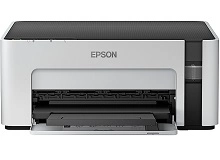
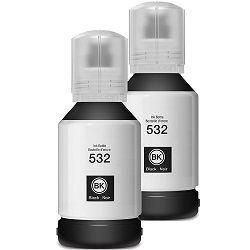
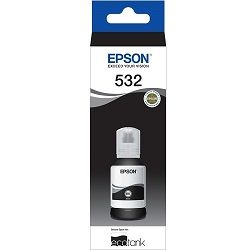
Shop ink bottles for your Epson EcoTank ET-M1100 and ET-M1120 printers, which use the Epson T532 ink bottles series. Ink Depot has been supplying reliable consumables for these printers since Jan 2019. Designed for dedicated black-and-white document production, these monochrome printers deliver high-volume text printing at a remarkably low per-page cost. Our 4.8 Google rating reflects a long-standing track record of premium cartridge performance. Opting for T532 (C13T03J192) black ink bottles keeps refill cycles long and maintenance low.


Expected Page Output and Ink Efficiency
The T532 black ink bottle is rated according to ISO/IEC 24712 test standards for continuous monochrome document printing. Refill ink tanks efficiently support heavy text output, maintaining steady print density without frequent bottle replacements.
| Cartridge Number | Type | Colour | Page Yield | Cost Per Page |
|---|---|---|---|---|
| C13T03J192 | Standard | Black | 6,000 | $0.004 |
Cost Per Page = Total Cartridge Price ÷ Page Yield (at 5% coverage). Prices based on Genuine cartridges.
Selecting the Best Ink Options for Your Setup
If your daily workload consists of high-volume monochrome documents, purchasing multi-bottle bundles reduces your overall refill frequency. Compatible T532 bottles offer significant savings and include a money-back guarantee for complete peace of mind. Check our returns policy for details. Free delivery applies on all orders over $99, dispatched quickly from our warehouses in Sydney, Melbourne, Brisbane, Perth, and Adelaide. Browse our full range of Epson ink bottles to keep your workspace supplied.
Genuine vs Compatible T532 Ink Bottles
Under Australian Consumer Law, using compatible cartridges does not void your printer warranty. Compatible T532 ink bottles provide a cost-effective alternative to genuine Epson supplies while maintaining crisp black text print quality. Learn more about performance differences in our guide to genuine vs compatible cartridges.
Refill Handling Advice
Always allow an open T532 ink bottle to drain naturally into the tank without squeezing the sides to ensure clean, spill-free filling and correct tank pressure.
Frequently Asked Questions
Do the Epson EcoTank ET-M1100 and ET-M1120 use the exact same T532 ink bottles?
Yes, both the ET-M1100 and ET-M1120 monochrome printers take the identical Epson T532 black ink bottle series.
Can I top up the ET-M1100 or ET-M1120 ink tank before it is completely empty?
Yes, EcoTank systems allow you to top up the black ink tank at any time using a T532 bottle without resetting print meters or interrupting jobs.
How long can an unopened T532 black ink bottle be stored?
Sealed T532 ink bottles typically have a shelf life of up to two years when kept in a cool, dry place out of direct sunlight.
Will using compatible T532 ink bottles clog the internal EcoTank printhead?
High-grade compatible T532 bottles are formulated specifically to match Epson viscosity standards, ensuring smooth ink flow through internal feed lines without clogging.


