
Canon S9000 Ink Cartridges
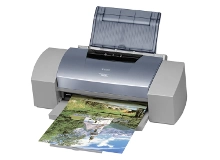
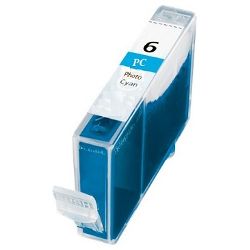
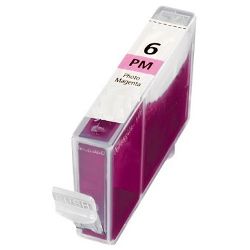
Shop ink cartridges for your Canon S9000, which uses the Canon BCI-6 ink cartridge series. Ink Depot has been supplying reliable consumables for this printer since Jul 2007. This wide-format A3+ photo printer uses a six-colour ink cartridge system. Light skin tones and sky gradients deplete Photo Cyan BCI-6PC and Photo Magenta BCI-6PM faster than core black or yellow cartridges. Our 4.8 Google rating reflects a long-standing track record of premium cartridge performance.



Expected Page Output and Replacement Cycles
Page yields for Canon BCI-6 ink cartridges are measured under ISO/IEC test standards based on standard page coverage. Photo printing with heavy ink coverage, particularly skin tones and skies, consumes Photo Cyan and Photo Magenta cartridges at different rates compared to standard text printing.
| Cartridge Number | Type | Colour | Page Yield | Cost Per Page |
|---|---|---|---|---|
| BCI-6BK | Standard | Black | 280 | $0.026 |
| BCI-6PC | Standard | Cyan | 100 | $0.072 |
| BCI-6C | Standard | Cyan | 100 | $0.072 |
| BCI-6PM | Standard | Magenta | 100 | $0.072 |
| BCI-6M | Standard | Magenta | 100 | $0.072 |
| BCI-6Y | Standard | Yellow | 100 | $0.072 |
Cost Per Page = Total Cartridge Price ÷ Page Yield (at 5% coverage). Prices based on Compatible cartridges.
Compatible Ink Options for Photo Printing
Using compatible BCI-6 ink cartridges allows you to replace individual exhausted colours without paying high OEM single-cartridge premiums. Under Australian Consumer Law, using compatible cartridges does not void your printer warranty. Read our genuine vs compatible cartridges comparison guide to see how compatible cartridges perform in photo printing applications.
Managing Ink Replacements and Delivery
If you print detailed photographs and graphics, keeping extra Photo Cyan (BCI-6PC) and Photo Magenta (BCI-6PM) cartridges on hand prevents downtime mid-print. Choosing compatible BCI-6 cartridges offers substantial savings, backed by our comprehensive money-back guarantee outlined in our returns policy. Stock up on your Canon ink cartridges with fast dispatch from our distribution centres in Perth, Brisbane, Sydney, Melbourne and Adelaide. Free delivery applies on all orders over $99.
Pro Tip
When ordering replacement inks for photo printing, purchase extra Photo Cyan (BCI-6PC) and Photo Magenta (BCI-6PM) cartridges alongside standard CMYK packs, as wide-format photographic prints exhaust light-density ink cartridges much quicker than primary colors.
Frequently Asked Questions
Why do BCI-6 Photo Cyan and Photo Magenta cartridges empty faster than standard Cyan and Magenta?
Wide-format photo printing relies on Photo Cyan and Photo Magenta to render subtle skin tones, highlights, and smooth sky transitions. Because these lighter inks drop microscopic droplets across larger image areas, their depletion rate is significantly higher than primary colour cartridges.
Do I need to replace all BCI-6 ink cartridges at the same time?
No, the Canon S9000 uses individual single-colour ink cartridges, allowing you to replace only the specific colour that has run out without wasting remaining ink in other cartridges.
How should spare compatible BCI-6 cartridges be stored to prevent ink drying?
Keep sealed spare BCI-6 cartridges in their original packaging at room temperature away from direct sunlight; properly stored compatible cartridges retain ink integrity for up to 24 months before installation.


