
Canon PIXMA TS8060 Ink Cartridges
Your Canon PIXMA TS8060 uses the PGI-670, PGI-670XL, CLI-671, CLI-671XL ink cartridge series to produce detailed photo memories and razor-sharp text documents. Our 4.8 Google rating demonstrates our long-standing commitment to premium cartridge quality and reliable performance. Ink Depot has been supplying dependable replacement supplies for this advanced 6-ink individual tank system since Mar 2017, helping creative home users manage multi-channel colour workflows without buying bulky composite sets.


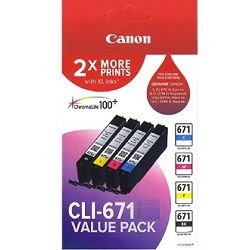


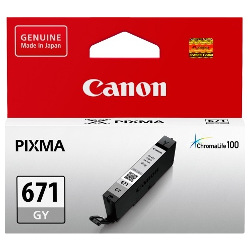


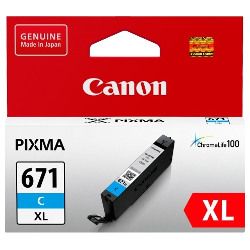


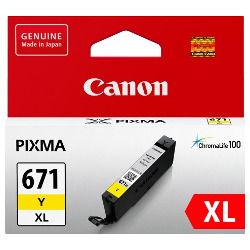


What to expect from each cartridge type
Managing a dedicated home photo studio requires predictable performance criteria across different print tasks. The genuine PGI-670 and CLI-671 variants are meticulously evaluated under the ISO/IEC 24711 industrial quality standard for inkjet technology to define standard page yields. Because vibrant full-colour imaging uses separate black, grey and colour reservoirs unevenly, individual replacement lines help minimise overall long-term print costs.
| Cartridge Number | Type | Colour | Page Yield | Cost Per Page |
|---|---|---|---|---|
| CLI-671BK | Standard | Black | 1,105 | $0.017 |
| PGI-670BK | Standard | Black | 300 | $0.073 |
| CLI-671C | Standard | Cyan | 311 | $0.061 |
| CLI-671M | Standard | Magenta | 311 | $0.061 |
| CLI-671GY | Standard | Yellow | 780 | $0.024 |
| CLI-671Y | Standard | Yellow | 311 | $0.061 |
| PGI-670XLBK | High Yield | Black | 500 | $0.059 |
| CLI-671XLBK | High Yield | Black | 4,425 | $0.007 |
| CLI-671XLC | High Yield | Cyan | 680 | $0.043 |
| CLI-671XLM | High Yield | Magenta | 680 | $0.043 |
| CLI-671XLGY | High Yield | Yellow | 3,350 | $0.009 |
| CLI-671XLY | High Yield | Yellow | 680 | $0.043 |
Cost Per Page = Total Cartridge Price ÷ Page Yield (at 5% coverage). Prices based on Genuine cartridges.
Genuine ink benefits and consumer protections
Opting for original PGI-670XL or CLI-671XL ink packs allows home offices to scale up daily print volumes affordably while preserving printhead performance. Under Australian Consumer Law, using high-quality third-party compatible cartridges will not void your printer's standard warranty, though we currently stock original factory supplies for this particular high-definition imaging system. You can review the manufacturing standards and performance comparisons of these options on our comprehensive genuine vs compatible cartridges comparison guide.
Managing replacements for mixed documents and photography
This printer uses a distinct dual-black and grey ink structure consisting of a large pigment black tank for crisp paper text alongside smaller dye-based black and grey tanks for deep photo shadows and smooth monochrome gradations. If you print heavy office text, updating the larger PGI-670 black unit is primary, whereas heavy colour illustration relies on the CLI-671 cyan, magenta, yellow and grey tanks. Choosing bundle kits keeps all channels refreshed simultaneously. Free delivery applies on all orders over $99, which are dispatched daily from modern logistics hubs located in Sydney, Melbourne, Brisbane, Adelaide and Perth. Every order remains protected by the guidelines in our Returns policy. Secure your supplies today by exploring our full Canon ink cartridges range.
Pro Tip
The Canon 6-ink system relies on a hybrid formulation: do not force a dye-based CLI-671 photo black cartridge into the larger PGI-670 pigment black carriage slot, as incorrect installation can confuse the mechanical chip readers and potentially leak into the text print nozzle channel.
Frequently Asked Questions
Why does this printer require both a photo black and a grey ink cartridge?
The system uses a large PGI-670 pigment black cartridge for sharp text on plain paper, while the smaller CLI-671 photo black and grey cartridges work together on glossy photo paper to produce neutral, grain-free monochrome tones and expanded shadow detail.
Can I use a high-yield PGI-670XL cartridge alongside a standard CLI-671 cartridge?
Yes. The internal printer reads individual microchips independently, allowing you to mix and match standard and XL-capacity tanks across the six separate cartridge bays based on your text and image printing volume.
How do I know when an individual ink tank needs to be replaced?
The printer features built-in LEDs on each cartridge slot that flash slowly when the ink is low and rapidly when the tank is completely empty, matching the low-ink notifications that appear on your computer monitor or device screen.


