
Canon Pixma MX340 Ink Cartridges
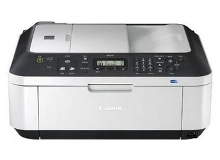
Shop ink cartridges for your Canon Pixma MX340, which uses the Canon PG-510, PG-512, CL-511 and CL-513 ink cartridge series. Ink Depot has been supplying consumables for this printer since Jan 2010. Designed as an all-in-one home office inkjet printer, this model relies on integrated printhead cartridges for clear document text and photo output. Upgrading from standard PG-510 black ink to high-yield PG-512 cartridges significantly reduces cost per page during high-volume printing. Our 4.8 Google rating reflects a long-standing track record of premium cartridge performance.




Expected Page Output and Yield Standards
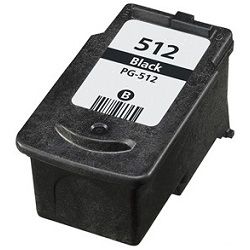
Page yields for Canon PG-510, PG-512, CL-511, and CL-513 cartridges are measured using ISO/IEC 24711 standard test pages. High-yield PG-512 black and CL-513 colour options store significantly more ink, making them ideal for reducing cost per page on regular home office print runs.
| Cartridge Number | Type | Colour | Page Yield | Cost Per Page |
|---|---|---|---|---|
| PG-510 | Standard | Black | 220 | $0.14 |
| CL-511 | Standard | Colour | 244 | $0.14 |
Cost Per Page = Total Cartridge Price ÷ Page Yield (at 5% coverage). Prices based on Genuine cartridges.
Choosing Between Genuine and Compatible Options
Both genuine Canon cartridges and third-party compatible cartridges are available for this printer. Under Australian Consumer Law, using compatible cartridges does not void your printer warranty. Compatible PG-512 and CL-513 options deliver high page outputs at a lower cost per page. To learn more about how third-party cartridges perform, read our guide on genuine vs compatible cartridges.
Selecting the Right Cartridge Setup
If you print mainly text documents, choosing high-yield PG-512 black cartridges provides more pages between replacements. If you print mixed documents and graphics, opting for high-yield CL-513 colour cartridges keeps page expenses down. Choosing compatible options reduces printing costs even further and includes a money back guarantee for peace of mind. Check our returns policy for details. Free delivery applies on all orders over $99 from our warehouses in Perth, Brisbane, Sydney, Melbourne and Adelaide. Explore our complete range of Canon ink cartridges to complete your setup.
Pro Tip
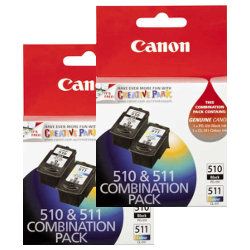
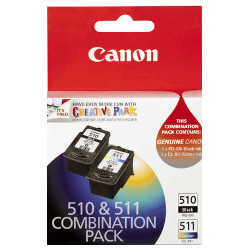
Because the CL-511 and CL-513 tri-colour cartridges combine cyan, magenta, and yellow ink into a single unit, replacing the cartridge as soon as any single shade depletes prevents uneven colour output. Keeping a spare combo pack on hand ensures uninterrupted printing for urgent jobs.
Frequently Asked Questions
Can I install a high-yield PG-512 cartridge if my printer currently uses a PG-510?
Yes, the PG-512 high-yield cartridge has the exact same physical dimensions as the standard PG-510 cartridge. It fits into the same slot inside the printer but contains a larger volume of ink to deliver almost double the page yield.
How does ink consumption work on CL-511 and CL-513 tri-colour cartridges?
Tri-colour cartridges hold three ink reservoirs in one housing. If your print jobs use one dominant colour (such as blue headings or red logos), that ink chamber will deplete faster. Once one colour runs empty, the cartridge must be replaced to maintain accurate colour balance.
Are compatible PG-512 and CL-513 cartridges backed by a quality guarantee?
Yes, all compatible Canon cartridges sold at Ink Depot are manufactured to strict ISO standards and come with a 90-day money back guarantee, ensuring reliable everyday performance alongside significant cost savings.


