
Canon PIXMA MP450 Ink Cartridges
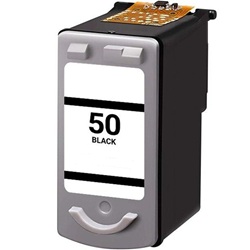
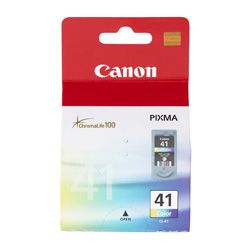
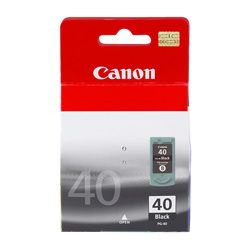
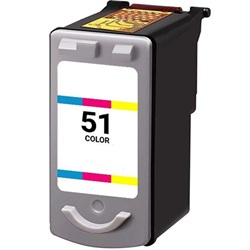
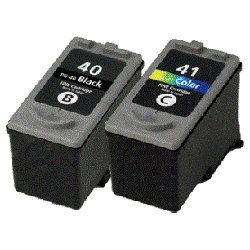
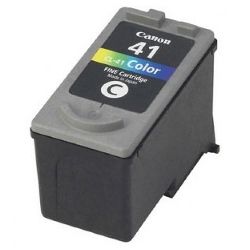
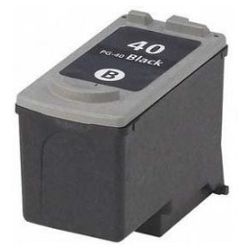
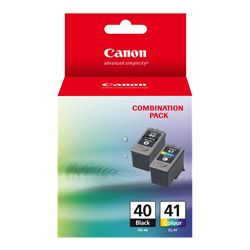
Shop ink cartridges for your Canon PIXMA MP450, which uses the Canon PG-40 and CL-41 ink cartridges series. Ink Depot has provided trusted consumables for this all-in-one desktop printer since Jul 2007. Our 4.8 Google rating is built on dependable cartridge performance and uncompromising product quality. Upgrading from standard PG-40 black and CL-41 tri-colour cartridges to high-yield PG-50 and CL-51 alternatives significantly increases print output between replacements.


Understanding Cartridge Page Output
Canon calculates page capacity for PG-40, PG-50, CL-41, and CL-51 cartridges using the ISO/IEC 24711 standard for inkjet printing. Standard PG-40 black cartridges yield roughly 330 pages, whereas high-capacity PG-50 units yield up to 510 pages under continuous document printing.
| Cartridge Number | Type | Colour | Page Yield | Cost Per Page |
|---|---|---|---|---|
| PG-40 | High Yield | Black | 329 | $0.13 |
| CL-51 | High Yield | Colour | 545 | $0.050 |
| CL-41 | High Yield | Colour | 312 | $0.15 |
Cost Per Page = Total Cartridge Price ÷ Page Yield (at 5% coverage). Prices based on Genuine cartridges.
Choosing Compatible Ink Cartridges
Compatible PG-40, PG-50, CL-41, and CL-51 cartridges offer a cost-effective alternative for everyday printing. Under Australian Consumer Law, using compatible cartridges does not void your printer warranty. Read our genuine vs compatible cartridge guide to understand how compatible alternatives compare in reliability and output.
Smart Buying Choices and Nationwide Delivery
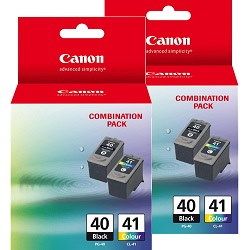
If you produce high text volumes, choosing high-yield PG-50 black cartridges delivers lower long-term running costs than standard PG-40 options. Combining PG-40 and CL-41 in bundle packs helps maintain both black and colour supplies efficiently. For additional savings, compatible alternatives include a money-back guarantee under our returns policy. Browse our full range of Canon ink cartridges today. Orders ship rapidly from warehouses in Perth, Brisbane, Sydney, Melbourne and Adelaide. Free delivery applies on all orders over $99.
Expert Cartridge Tip
When replacing colour ink in the PIXMA MP450, remember that the CL-41 and CL-51 cartridges house cyan, magenta, and yellow ink in a single tri-colour unit. If one colour runs out during heavy photo prints, the entire cartridge must be replaced, making high-capacity CL-51 options far more economical for regular colour printing.
Frequently Asked Questions
Can I install a high-yield PG-50 or CL-51 cartridge in my PIXMA MP450 if it previously ran PG-40 or CL-41?
Yes. PG-50 black and CL-51 tri-colour cartridges share the exact physical dimensions as PG-40 and CL-41. They fit into the same cartridge slots while containing significantly more ink.
How does a tri-colour cartridge like the CL-41 affect printing when a single colour runs dry?
Because the CL-41 and CL-51 combine cyan, magenta, and yellow into a single cartridge housing, depletion of any single colour requires replacing the whole unit. If your documents frequently feature heavy single-colour graphics, monitor ink levels to avoid premature replacement.
Can I mix a genuine PG-40 black cartridge with a compatible CL-51 tri-colour cartridge in the PIXMA MP450?
Yes. The printer operates normally when pairing a genuine Canon black cartridge with a compatible tri-colour cartridge, allowing you to replace each cartridge independently according to your budget and preference.


