
Canon PIXMA iX7000 Ink Cartridges
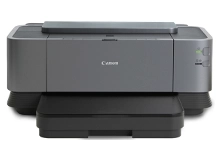
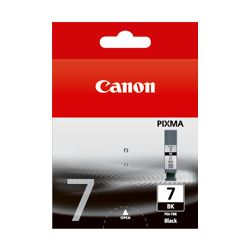
Shop ink cartridges for your Canon PIXMA iX7000, which uses the Canon PGI-7 and PGI-9 ink cartridges series. Ink Depot has been supplying reliable consumables for this printer since Sep 2010. Designed for A3+ graphic print output, it relies on high-capacity PGI-7BK black ink for sharp text alongside dedicated PGI-9 colour and PGI-9CLEAR protective ink tanks. Our 4.8 Google rating reflects a long-standing track record of premium cartridge performance.




Expected Page Output and Replacement Cycles
Page yields for inkjet cartridges are measured using standard ISO/IEC test suite criteria. Actual page output on your Canon PIXMA iX7000 will vary significantly depending on print size (A4 vs A3+), graphic surface coverage, and how frequently clear coat ink is applied to your media.
| Cartridge Number | Type | Colour | Page Yield | Cost Per Page |
|---|---|---|---|---|
| PGI-9PBK | Standard | Photo Black | 43 | $0.70 |
| PGI-9C | Standard | Cyan | 79 | $0.40 |
| PGI-9M | Standard | Magenta | 144 | $0.21 |
| PGI-9Y | Standard | Yellow | 120 | $0.25 |
Cost Per Page = Total Cartridge Price ÷ Page Yield (at 5% coverage). Prices based on Genuine cartridges.
Selecting Ink and Delivery Options
If you print text documents, prioritize keeping spare PGI-7BK pigment black on hand. For large-format graphic prints or photo media, stocking PGI-9 colour tanks alongside PGI-9CLEAR ensures uninterrupted surface coat protection. Order your genuine Canon ink cartridges with complete confidence under our comprehensive returns policy. Free delivery applies on all orders over $99, dispatched quickly from our warehouses across Perth, Brisbane, Sydney, Melbourne and Adelaide.
Pro Tip for PIXMA iX7000 Cartridges
Always keep a spare PGI-9CLEAR tank on hand, as the printer uses this coat ink across graphic print jobs to bind colour inks and prevent smudging on plain paper.
Frequently Asked Questions
What is the function of the PGI-9CLEAR ink cartridge in the Canon PIXMA iX7000?
PGI-9CLEAR applies a protective coat over printed images during output, preventing ink bleeding, enhancing saturation, and protecting plain and coated paper prints against liquid damage.
Why does the PIXMA iX7000 use both PGI-7BK and PGI-9PBK black cartridges?
PGI-7BK is a high-volume pigment black cartridge designed specifically for text and office document printing, while PGI-9PBK photo black is formulated for precise tonal reproduction in graphic images and photographs.
Can I print without replacing an empty PGI-9 colour cartridge?
No, the iX7000 requires all installed ink cartridges (PGI-7BK, PGI-9CLEAR, PGI-9C, PGI-9M, PGI-9Y, and PGI-9PBK) to contain ink to prevent printhead overheating and maintain consistent output quality.


