
Canon PIXMA iP4950 Ink Cartridges
Shop ink cartridges for your Canon PIXMA iP4950, which uses the Canon PGI-525 and CLI-526 ink cartridges series. Ink Depot has been supplying consumables for this printer since Sep 2010. This single-function photo printer relies on pigment PGI-525BK for sharp text, while dye-based CLI-526 cartridges deliver accurate colour gradations across glossy media. Our 4.8 Google rating proves it: we consistently supply premium cartridges backed by rock-solid reliability.

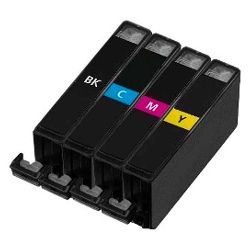

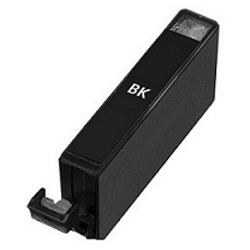


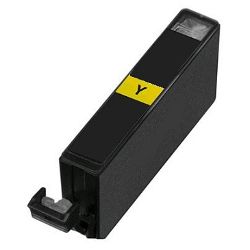
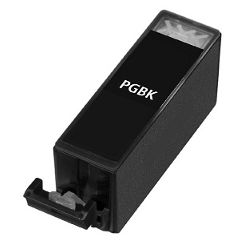

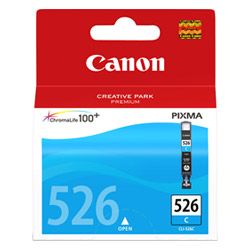
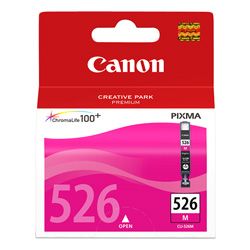


Expected page output and replacement cycles
The Canon PIXMA iP4950 separates text and photo printing functions using dedicated pigment and dye inks. Declared page yields follow ISO/IEC 24711 testing standards. Document printing depletes PGI-525BK black ink first, whereas photo projects draw on CLI-526 photo black, cyan, magenta, and yellow depending on photographic colour composition.
| Cartridge Number | Type | Colour | Page Yield | Cost Per Page |
|---|---|---|---|---|
| CLI-526BK | Standard | Black | 2,185 | $0.011 |
| PGI-525BK | Standard | Black | 311 | $0.076 |
| CLI-526C | Standard | Cyan | 462 | $0.051 |
| CLI-526M | Standard | Magenta | 437 | $0.054 |
| CLI-526Y | Standard | Yellow | 450 | $0.052 |
Cost Per Page = Total Cartridge Price ÷ Page Yield (at 5% coverage). Prices based on Genuine cartridges.
Choosing between genuine and compatible options
Choosing compatible PGI-525BK and CLI-526 cartridges offers substantial per-page cost savings while maintaining clear text and vibrant photographic reproduction. Under Australian Consumer Law, using compatible cartridges does not void your printer warranty. To understand performance, lightfastness, and value differences before ordering, explore our detailed genuine vs compatible cartridges guide.
Selecting the best option for your printing volume
For document-heavy workflows, purchasing multi-pack bundles or compatible PGI-525BK cartridges significantly reduces cost per printed page. If your focus is high-volume photo printing, keeping spare CLI-526 dye ink cartridges on hand ensures uninterrupted image production. All compatible options carry a 100% money-back guarantee for complete peace of mind. Check our returns policy for details. Free delivery applies on all orders over $99, dispatched quickly from warehouses in Perth, Brisbane, Sydney, Melbourne, and Adelaide. Browse our complete range of Canon ink cartridges to stock up.
Pro Tip for the Canon iP4950 Ink System
Never substitute the larger PGI-525BK pigment black cartridge for the smaller CLI-526BK dye black cartridge. PGI-525BK is formulated strictly for plain paper document text, while CLI-526BK provides dark contrast and shading specifically on glossy photographic media.
Frequently Asked Questions
Why does the Canon PIXMA iP4950 use two distinct black ink cartridges?
The iP4950 employs a dual-black system to maximize output quality across different media. PGI-525BK contains pigment ink designed to bond with plain paper for crisp, smudge-resistant text. CLI-526BK contains dye ink that penetrates glossy photo paper layers, delivering deeper black tones and contrast in photographs.
Do CLI-526 colour cartridges deplete at the same rate during photo printing?
No. Dye colour consumption varies based on the predominant hues in your prints. Images containing heavy sky tones consume CLI-526C cyan faster, while portrait photography draws more heavily on CLI-526M magenta and CLI-526Y yellow. Replacing individual single-colour cartridges as needed avoids wasting remaining ink in other tanks.
What is the shelf life of sealed PGI-525 and CLI-526 cartridges?
Unopened genuine and compatible PGI-525 and CLI-526 ink cartridges generally store reliably for up to 18 to 24 months. Store cartridges upright in a cool, dark environment away from direct sunlight and extreme temperatures to prevent ink drying or seal degradation.


