
Canon PIXMA iP1500 Ink Cartridges
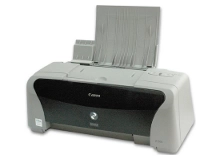
Shop ink cartridges for your Canon PIXMA iP1500, which uses the Canon BCI-24 ink cartridges series. Ink Depot has been supplying reliable consumables for this printer since Jan 2004. The PIXMA iP1500 is a compact desktop inkjet printer designed for basic home document and graphics printing. Swapping out the BCI-24 Black cartridge separately from the BCI-24 Colour cartridge ensures efficient printing for daily text tasks. Our 4.8 Google Star rating shows that our customers consistently receive high-quality cartridges backed by reliable performance.
Expected Page Output and Replacement Cycles
Page yield for BCI-24 ink cartridges is measured using standardised ISO testing standards for inkjet systems. Because colour graphics deplete cyan, magenta, and yellow ink evenly from the tri-colour block, overall yield varies according to print density and document balance.
What to Know About Compatible Cartridges
Our premium compatible BCI-24 cartridges offer a dependable, budget-friendly alternative for everyday home printing. Under Australian Consumer Law, using compatible cartridges does not void your printer warranty. Learn more about how alternative cartridges perform in our guide comparing genuine vs compatible cartridges.
Choosing the Right Cartridge Setup
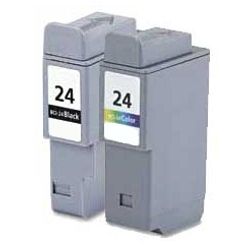
If you print mainly text documents, purchasing individual BCI-24 Black cartridges ensures you only replace ink as needed. For mixed document printing, bundle options offer balanced replenishment for both black and colour printing. Compatible cartridges come with a money-back guarantee under our returns policy if they do not work. Free delivery applies on all orders over $99, dispatched quickly from our Australian warehouses in Perth, Brisbane, Sydney, Melbourne, and Adelaide. Browse our complete range of Canon ink cartridges for all your printing requirements.
Pro Tip
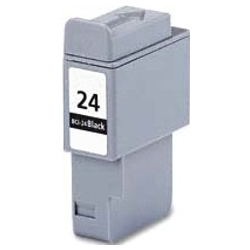
If you frequently print text documents, keep a spare BCI-24 Black cartridge on hand. The PIXMA iP1500 uses a dedicated black cartridge for crisp text, allowing you to replace black ink without disturbing the tri-colour cartridge.
Frequently Asked Questions
How does the BCI-24 tri-colour cartridge handle low ink levels?
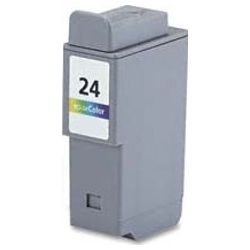
The BCI-24 Colour cartridge houses cyan, magenta, and yellow ink in a single physical block. When any single colour runs low, the entire colour cartridge must be replaced to maintain correct colour accuracy.
Can I print with only the BCI-24 Black cartridge installed?
While the Canon PIXMA iP1500 allows black document printing, both the BCI-24 Black and BCI-24 Colour cartridges must remain installed in the printhead assembly for the printer to initialize and print.
How should unused BCI-24 ink cartridges be stored?
Store unopened BCI-24 cartridges upright in a cool, dry place out of direct sunlight. Keeping them sealed in their original protective packaging prevents the internal sponge from drying out before installation.


