
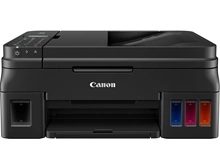
Canon PIXMA G4610 MegaTank Ink Bottles
Your Canon PIXMA G4610 MegaTank uses the GI-690 cartridge series, operating on a high-capacity continuous fluid system that moves away from conventional micro-tanks to manage family print jobs. Ink Depot has been supplying consumables for this printer since Oct 2023, lowering standard running costs for domestic spaces across Australia. Households handling concurrent school projects and general admin tasks frequently encounter dynamic black ink consumption patterns. Home users balance these regular usage spikes by purchasing bundled fluid kits, securing full multi-colour sets to protect active projects from sudden maintenance lockouts.


Page production metrics and ink bottle lifecycles
Tracking the performance benchmarks of your liquid refills is straightforward given the distinct layout of the GI-690 configuration. The dedicated GI-690BK black ink bottle is formulated with a heavy fluid reserve that provides approximately 6,000 pages. Meanwhile, the individual colour elements, which include cyan GI-690C, magenta GI-690M, and yellow GI-690Y, supply an extended output yielding up to 7,000 pages per reservoir.
Canon establishes these residential capacity limits by employing the rigorous ISO/IEC 24711 international standard, which is specifically designed for multi-colour inkjet hardware. This measurement process determines runtime lifecycles by outputting a continuous sequence of five unique test pages containing mixed text blocks and digital charts under consistent room temperatures. Real-world domestic output levels often contrast with these official metrics because printing heavy full-page colour photos, graphic-heavy school posters, or detailed web pages uses a higher density of liquid per millimetre than standard administrative letters.
| Cartridge Number | Type | Colour | Page Yield | Cost Per Page |
|---|---|---|---|---|
| GI-690BK | High Yield | Black | 6,000 | $0.004 |
| GI-690C | High Yield | Cyan | 7,000 | $0.003 |
| GI-690M | High Yield | Magenta | 7,000 | $0.003 |
| GI-690Y | High Yield | Yellow | 7,000 | $0.003 |
Cost Per Page = Total Cartridge Price ÷ Page Yield (at 5% coverage). Prices based on Genuine cartridges.
Bulk purchasing paths and domestic delivery
Deciding how to assemble your home supply layout depends heavily on the predominant document styles processed by your family members. If you print mainly text documents such as university essays, flight itineraries, or tax forms, keeping an extra bottle of GI-690BK black pigment ink on hand avoids unexpected downtime during late-night study sessions. If you print photos or colour graphics like family scrapbooks, creative school crafts, or full-colour presentations, purchasing multi-bottle value bundles offers the most secure way to keep every ink channel completely primed and ready.
We coordinate instant packing and dispatch from local logistical facilities situated in Perth, Brisbane, Sydney, Melbourne, and Adelaide to ensure prompt transit straight to your doorstep. Free delivery applies on all orders over $99. For a comprehensive overview of our dispatch regions, tracking systems, or replacement guidelines, read our complete Returns policy. If your home office runs different inkjet models or alternative hardware setups, view our extensive catalogue of online options for Canon ink cartridges.
Pro Tip
The Canon PIXMA G4610 MegaTank utilizes an internal ink distribution network consisting of long flexible supply tubes that must remain entirely filled with liquid to operate correctly. Leaving a reservoir completely dry allows air pockets to enter the internal supply lines, which blocks the thermal printhead nozzles, causes horizontal banding lines, and eventually requires an expensive deep ink flush that purges up to a quarter of your remaining ink supply into the internal waste pad. Refill each colour well as soon as the fluid drops down to the lower indicator line printed on the front window.
Frequently Asked Questions
Why does my black text appear faint or grey even though I just poured a new bottle of GI-690BK into the well?
This issue frequently occurs when the printer is left sitting unused for several weeks, causing the heavy pigment particles in the black formula to settle or form a dry layer over the micro-nozzles. Access the maintenance utilities option on your computer desktop panel and run a single printhead nozzle clean to restore proper capillary flow.
Can I mix third-party alternative inks with my genuine Canon GI-690 bottles inside the same reservoir wells?
Mixing distinct chemical ink bases inside a shared continuous well is highly risky because different ink formulations often possess incompatible surface tensions and viscosity metrics. Combining them can trigger chemical separation, creating thick sediment clumps that plug the fine internal mesh filters and permanently damage the micro-firing mechanisms.
Why are my GI-690 colour ink levels dropping when I have set my desktop print properties to monochrome only?
The system automatically uses small amounts of cyan, magenta, and yellow ink from the colour wells during its periodic self-cleaning cycles to keep the thermal printhead assembly perfectly moist and prevent head clogging. Additionally, the printer blends micro-drops of colour ink with the black pigment to smooth out grey gradients and sharp text edges on plain paper.


