
Canon P170-DH II Calculator Ink Rolls
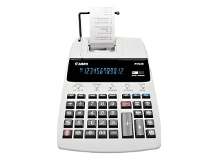
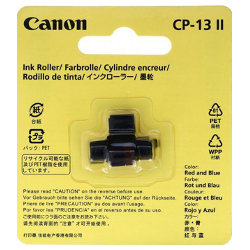
Shop calculator ink rolls for your Canon P170-DH II, which uses the Canon CP-13 II Red/Blue ink roll. Ink Depot has been supplying genuine consumables for this desktop printing calculator since Dec 2011. Designed for accounting and audit administration, this dual-colour ink roll keeps positive figures in clear blue and negative totals in sharp red. Our 4.8 Google rating proves it: we consistently supply premium cartridges backed by rock-solid reliability.
Expected print output and replacement cycles
Standard page yield rating systems do not apply to calculator ink rolls, as longevity depends on total calculation lines printed. Dual-colour ink rolls wear evenly under balanced auditing work, though heavy negative-entry calculations consume the red ink portion faster over time.
Stocking up and delivery options
Replacing your CP-13 II ink roll as soon as red print starts fading ensures negative balances remain clear on paper audits. Free delivery applies on all orders over $99, with fast dispatch from our national warehouses in Perth, Brisbane, Sydney, Melbourne and Adelaide. All items are backed by our clear returns policy.
Important ink roll buying tip
Keep spare ink rolls sealed in their original blister packaging until installation, as exposure to ambient air causes porous roller foam to dry out before use.
Frequently Asked Questions
How do I know when the CP-13 II ink roll needs replacing in my Canon P170-DH II?
You should replace the ink roll when print output on your paper tape becomes faint, greyish, or difficult to read. On two-colour desktop calculators, red figures representing negative numbers or deductions typically fade first if accounting work involves heavy credit auditing.
Why does the red print fade before the blue print on my calculator tape?
The CP-13 II ink roll holds blue ink on one band and red ink on the other. If your calculation workflow includes frequent negative entries, tax deductions, or subtractions, the red ink section experiences higher print head friction and depletes faster than the blue section.
Can CP-13 II calculator ink rolls be manually refilled with stamp ink?
No, manually adding liquid ink or stamp ink to a porous calculator roller is not recommended. External inks can gum up the impact printing mechanism, cause uneven transfer onto the paper roll, and smudge internal audit records. Installing a fresh genuine CP-13 II roller maintains clear print clarity without risking internal mechanical damage.


