
Canon multiPASS MPC75 Ink Cartridges
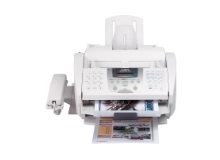
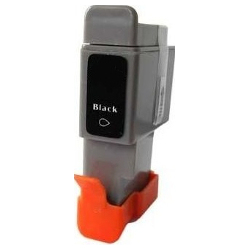
Shop ink cartridges for your Canon multiPASS MPC75, which uses the Canon BCI-21 ink cartridges series. Ink Depot has been supplying reliable ink cartridges for this compact desktop all-in-one printer since Jul 2007. Our 4.8 Google rating reflects a long-standing track record of premium cartridge performance. Replacing individual BCI-21 Black or BCI-21 Colour cartridges as needed prevents ink wastage, while multi-pack options help lower day-to-day document running costs.


Expected Page Output and Cartridge Yield
Page yield for BCI-21 ink cartridges is measured in accordance with standard ISO/IEC inkjet testing criteria. Actual page output varies depending on document coverage, font density, and print settings, with heavy text printing depleting the black cartridge faster than colour components.
Choosing Compatible BCI-21 Cartridges
Using compatible BCI-21 cartridges provides a practical way to keep older printing equipment running smoothly without excessive running costs. Under Australian Consumer Law, using compatible cartridges does not void your printer warranty. To understand how third-party options compare to OEM supplies, read our guide on genuine vs compatible cartridges.
Managing Replacements and Fast Delivery Options
For everyday document printing, stocking BCI-21 Black cartridges in twin packs ensures consistent workflow, while mixed multi-packs suit occasional colour copying. Our compatible cartridges are covered by a full money-back guarantee if you experience any quality issues; review our returns policy for complete terms. We dispatch orders fast from warehouses across Sydney, Melbourne, Brisbane, Perth, and Adelaide. Free delivery applies on all orders over $99. Explore our complete range of Canon ink cartridges for all your office supplies.
Cartridge Tip
Because BCI-21 colour cartridges combine cyan, magenta, and yellow into a single unit, replacing the colour cartridge when any single shade runs low keeps your printed documents accurate without risking faint or streaky graphics.
Frequently Asked Questions
Why does the BCI-21 colour cartridge require replacement if only one colour runs out?
The BCI-21 colour unit is a single multi-chamber cartridge housing cyan, magenta, and yellow inks together. When one colour chamber empties, the printer cannot draw that shade, so replacing the colour cartridge is necessary to maintain complete colour reproduction.
Can I install BCI-21 compatible cartridges alongside existing original cartridges in my Canon multiPASS MPC75?
Yes, compatible BCI-21 black and colour cartridges are engineered to physical OEM dimensions and operate seamlessly alongside original cartridges in the printhead carriage without triggering recognition errors.
How should spare BCI-21 cartridges be stored to prevent premature drying?
Unopened BCI-21 cartridges should remain sealed in their protective foil packages at room temperature, stored upright away from direct sunlight and heat sources to preserve nozzle seal integrity.


