
Canon multiPASS MPC600F Ink Cartridges
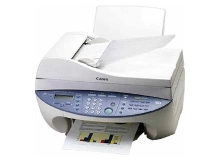
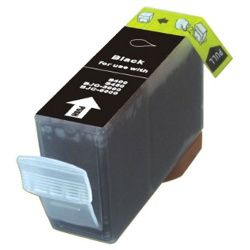
Your Canon multiPASS MPC600F uses the BCI-3eBK black ink cartridge. Ink Depot has been supplying reliable consumables for this printer model since Jan 2002. Designed for dependable document output, this desktop multifunction unit relies on high-capacity black ink to handle everyday office text printing and incoming faxes efficiently. Our 4.8 Google rating proves it: we consistently supply premium cartridges backed by rock-solid reliability.
Expected page output and replacement cycles
The compatible BCI-3eBK black ink cartridge for the Canon multiPASS MPC600F offers an estimated yield of 500 pages at standard 5% coverage under ISO/IEC 24711 testing standards. This delivers consistent text print density across long document runs for home and small business environments.
| Cartridge Number | Type | Colour | Page Yield | Cost Per Page |
|---|---|---|---|---|
| BCI-3eBK | Standard | Black | 500 | $0.016 |
Cost Per Page = Total Cartridge Price ÷ Page Yield (at 5% coverage). Prices based on Compatible cartridges.
Choosing compatible BCI-3e ink
Under Australian Consumer Law, using compatible cartridges does not void your printer warranty. Choosing compatible BCI-3eBK ink cartridges provides an economical solution for high-volume text printing without compromising document legibility or print consistency. To learn more about how aftermarket options perform alongside original cartridges, read our genuine vs compatible cartridge comparison.
Stocking up and delivery
If you print mainly text documents and faxes, ordering compatible BCI-3eBK ink cartridges in multi-packs helps maintain continuous operation. Our compatible cartridges come backed by a 90-day money back guarantee if they do not perform as expected. For further details on replacements, view our returns policy. Free delivery applies on all orders over $99. We dispatch quickly from warehouses in Perth, Brisbane, Sydney, Melbourne and Adelaide. Browse our full range of Canon ink cartridges for all your printing needs.
Pro Tip
When installing a BCI-3eBK cartridge, ensure the protective orange clip is removed cleanly without touching the ink outlet port to prevent air gaps from interrupting ink flow during initial print cycles.
Frequently Asked Questions
Can I install BCI-6 cartridges in the multiPASS MPC600F if it uses BCI-3e?
While both cartridge types belong to the same Canon BCI family, the multiPASS MPC600F specifically requires the BCI-3eBK high-capacity black cartridge slot for standard document printing. Installing a BCI-6 black cartridge may cause seating issues or improper ink feeding due to physical shell variations.
Why does the BCI-3eBK black ink cartridge run out faster during heavy faxing?
Incoming faxes print at standard monochrome text densities, using pure black ink without draft-mode economising. Because fax reception does not trigger automatic ink-saver settings, high-volume fax environments deplete the BCI-3eBK cartridge quicker than typical draft text printing.
How does the BCI-3e ink cartridge system handle prolonged periods between print jobs?
The BCI-3eBK is an individual ink cartridge that feeds a separate printhead assembly. If the printer sits idle for several weeks, storing cartridges in a cool environment prevents ink viscosity changes near the sponge feed mechanism, ensuring smooth ink flow when printing resumes.


