
Canon multiPASS MPC200 Ink Cartridges
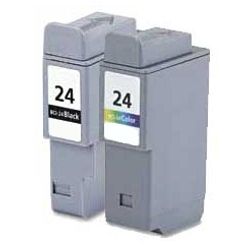
Your Canon multiPASS MPC200 uses the BCI-24 series ink cartridges, featuring separate black and colour cartridges to handle everyday document printing. Ink Depot has been supplying reliable consumables for this printer since Jan 2003. A compact all-in-one desktop inkjet designed for home office document printing, faxing, and copying, it benefits from high-value compatible cartridges that drop per-page printing costs significantly. Replacing individual BCI-24 Black or BCI-24 Colour cartridges as they empty helps avoid unnecessary ink waste. Our 4.8 Google rating reflects a long-standing track record of premium cartridge performance.

Expected Page Output and Replacement Cycles
Inkjet page yield values follow the standardized ISO/IEC 24711 test protocol based on continuous 5% page coverage across standard A4 sheets. Actual print yield varies depending on graphics density, document coverage, and how frequently automated cleaning cycles execute.
Choosing Compatible BCI-24 Ink Options
Under Australian Consumer Law, using compatible cartridges does not void your printer warranty. Compatible BCI-24 options deliver clear document text and vibrant colour reproduction at a fraction of the cost. To learn more about how alternative cartridges compare against OEM products, read our genuine vs compatible cartridge guide.
Best Way to Stock These Cartridges
If you print mainly text documents, purchasing multi-pack BCI-24 Black cartridges ensures you always have spare black ink available when printing heavy paperwork. If you print mixed graphics and colour pages, holding a balance of BCI-24 Colour cartridges prevents output disruption. Compatible options include a money back guarantee if they do not work. Explore our full range of Canon ink cartridges for reliable supply. Free delivery applies on all orders over $99. We ship directly from local warehouses in Perth, Brisbane, Sydney, Melbourne and Adelaide. Review our returns policy for details.
Pro Tip
Store unopened BCI-24 cartridges in an upright position in a cool, dry area to ensure the internal ink sponge remains evenly saturated prior to installation.
Frequently Asked Questions
Can I replace the BCI-24 Black cartridge without replacing the BCI-24 Colour cartridge?
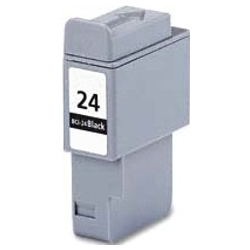
Yes, the Canon multiPASS MPC200 operates with dual distinct ink slots, allowing you to swap out the BCI-24 Black cartridge independently whenever text ink runs out, without disturbing the colour cartridge.
How does the BCI-24 cartridge system handle long periods between print runs?
Because BCI-24 cartridges feed directly into a semi-permanent printhead within the printer, keeping fresh compatible cartridges sealed until installation prevents air exposure and keeps the sponge inside the ink reservoir moist.
Will replacing a BCI-24 Colour cartridge affect black text print output?
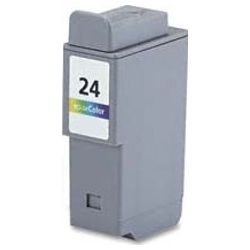
No, black text printing relies entirely on the dedicated BCI-24 Black cartridge. Replacing or depleting the colour cartridge does not impair mono printing, though keeping a functional colour cartridge in place prevents the printhead nozzles from drying out.


