
Canon multiPASS MPC190 Ink Cartridges
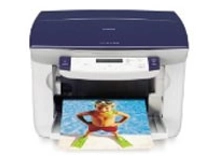
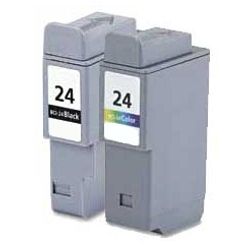
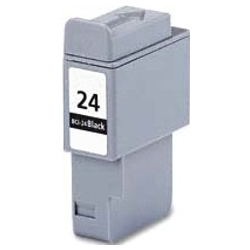
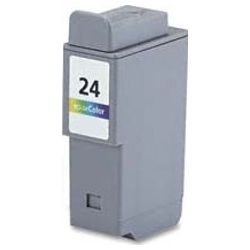
Your Canon multiPASS MPC190 uses the BCI-24 ink cartridges series. Ink Depot has been supplying reliable consumables for this printer since Jan 2003. Designed as a compact home office all-in-one printer, it relies on separate black BCI-24 and tri-colour BCI-24 ink cartridges to keep everyday documents and colour copies running smoothly. Replacing single black BCI-24 units more frequently than colour cartridges helps balance page output during routine text printing. Our 4.8 Google rating proves it: we consistently supply premium cartridges backed by rock-solid reliability.
Expected Page Yield and Printing Output
Page yields for BCI-24 cartridges depend on output coverage, document density, and job size. Standard testing for inkjet cartridges follows ISO/IEC 24711 guidelines under standard print conditions. Printing heavy graphics or high-coverage documents will reduce overall page yield faster than standard text pages.
Choosing Compatible BCI-24 Cartridges
Using compatible BCI-24 cartridges offers a cost-effective solution for everyday home office printing without sacrificing clarity or reliability. Under Australian Consumer Law, using compatible cartridges does not void your printer warranty. To understand how third-party cartridges perform relative to OEM alternatives, read our genuine vs compatible cartridges guide.
Cartridge Selection and Ordering Options
If you print mainly text documents, stocking up on multi-pack BCI-24 Black cartridges keeps your printing costs down and ensures uninterrupted workflow. If you print colour graphics or mixed media, ordering BCI-24 Colour cartridges alongside black inks ensures clean presentation across every page. Our compatible cartridges are covered by a money-back guarantee under our returns policy if they fail to meet expectations. Free delivery applies on all orders over $99, dispatched quickly from warehouses in Perth, Brisbane, Sydney, Melbourne and Adelaide. Explore our full range of Canon ink cartridges today.
Pro Tip for BCI-24 Ink Systems
BCI-24 colour cartridges combine cyan, magenta, and yellow into a single cartridge shell. If you produce high volumes of documents with a heavy single background tint, that specific ink reservoir will deplete first, requiring the entire tri-colour unit to be replaced even if the other two shades still contain ink.
Frequently Asked Questions
Can I replace the black BCI-24 cartridge independently of the tri-colour unit?
Yes. The Canon multiPASS MPC190 uses dedicated slots for the BCI-24 Black and BCI-24 Colour cartridges, allowing you to replace either unit individually whenever its ink level drops.
What happens if one colour depletes inside the BCI-24 tri-colour cartridge?
Because cyan, magenta, and yellow share a single BCI-24 tri-colour cartridge body, running out of any single colour component means the whole colour cartridge must be replaced to restore full-spectrum colour reproduction.
How should unopened BCI-24 cartridges be stored before installation?
Keep spare BCI-24 cartridges sealed in their protective packaging at room temperature, away from direct sunlight or extreme temperature fluctuations, to prevent ink drying and nozzle seal breakdown before use.


