
Canon MultiPASS MP730 Ink Cartridges
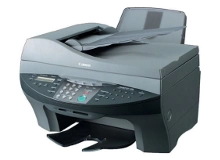
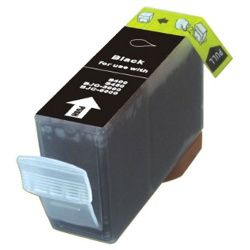
Shop ink cartridges for your Canon multiPASS MP730, which uses the Canon BCI-3eBK ink cartridge. The Canon multiPASS MP730 is a versatile desktop multifunction inkjet printer designed for crisp text documents and everyday office tasks. Ink Depot has been supplying reliable consumables for this printer since Jan 2003. Keeping spare BCI-3eBK cartridges on hand prevents workflow halts when high-volume document printing depletes black ink. Our 4.8 Google rating reflects a long-standing track record of premium cartridge performance.
Expected page output and replacement cycles
Page yield for the BCI-3eBK cartridge is measured using standard ISO/IEC 24711 testing protocols based on 5% page coverage. Actual page output varies depending on print density, document complexity, and routine maintenance cycles. Printing heavy text documents depletes black ink quicker than standard draft output.
| Cartridge Number | Type | Colour | Page Yield | Cost Per Page |
|---|---|---|---|---|
| BCI-3eBK | Standard | Black | 500 | $0.016 |
Cost Per Page = Total Cartridge Price ÷ Page Yield (at 5% coverage). Prices based on Compatible cartridges.
Choosing compatible cartridges for your printer
Under Australian Consumer Law, using compatible cartridges does not void your printer warranty. Compatible BCI-3eBK ink cartridges offer an economical alternative to original cartridges without compromising on text crispness or output reliability. Every compatible cartridge sold by Ink Depot is covered by a money back guarantee if it fails to perform as expected. Learn more about the differences in our genuine vs compatible guide.
Ordering options and Australian delivery
Ordering replacement ink before your current cartridge empties ensures uninterrupted daily printing. If you primarily print standard text files or general office paperwork, keeping extra black cartridges stocked is recommended. We dispatch orders fast from distribution warehouses in Sydney, Melbourne, Brisbane, Adelaide, and Perth. Free delivery applies on all orders over $99. For details on returns, please review our returns policy. Browse our full range of Canon ink cartridges to find options for all your printing needs.
Cartridge Pro Tip
Pro Tip: When installing a replacement BCI-3eBK cartridge, ensure the protective tape or yellow seal strip is completely removed before inserting it into the carriage. Leaving partial tape attached blocks airflow to the sponge inside, preventing ink from flowing to the printhead and causing blank pages.
Frequently Asked Questions
How many pages can I expect from a BCI-3eBK black cartridge?
The BCI-3eBK compatible cartridge yields up to 500 pages under standard ISO testing conditions at 5% coverage. If your print jobs consist mainly of full-page text, dense lines, or grayscale graphics, your actual page yield will naturally be lower than the rated maximum.
Are compatible BCI-3eBK cartridges reliable for daily document printing?
Yes. Compatible BCI-3eBK cartridges are manufactured to match original physical specifications and ink viscosity, delivering sharp text output for routine office documents and invoices. They also come backed by a money back guarantee for peace of mind.
Why is my print light or ink monitor showing low ink immediately after installing a new cartridge?
Older Canon inkjet systems sometimes maintain previous level readings when a cartridge is swapped. Resetting the cartridge carriage or simply continuing to print will clear the alert, as physical ink delivery relies on direct mechanical feeding rather than electronic chip locking on this series.


