
Canon MB2060 Ink Cartridges
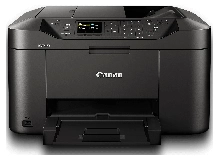
Shop ink cartridges for your Canon MAXIFY MB2060, which uses the Canon PGI-1600 / PGI-1600XL ink cartridges series. The MAXIFY MB2060 is a compact business inkjet built for high-speed document output. Ink Depot has supplied reliable cartridges for this printer since Mar 2015. Switching from standard PGI-1600BK black cartridges to high-yield PGI-1600XLBK options significantly lowers expense during heavy office print runs. Our 4.8 Google rating proves it: we consistently supply premium cartridges backed by rock-solid reliability.


Expected Page Output and Replacement Cycles
Page yields for PGI-1600 and PGI-1600XL cartridges are measured under the ISO/IEC 24711 standard for inkjet printing. Small office environments printing routine text documents will deplete black ink faster than cyan, magenta, or yellow, making XL high-yield cartridges far more economical for daily administrative tasks.
| Cartridge Number | Type | Colour | Page Yield | Cost Per Page |
|---|---|---|---|---|
| PGI-1600BK | Standard | Black | 400 | $0.083 |
| PGI-1600C | Standard | Cyan | 300 | $0.073 |
| PGI-1600M | Standard | Magenta | 300 | $0.073 |
| PGI-1600Y | Standard | Yellow | 300 | $0.073 |
| PGI-1600XLBK | High Yield | Black | 1,200 | $0.037 |
| PGI-1600XLC | High Yield | Cyan | 900 | $0.034 |
| PGI-1600XLM | High Yield | Magenta | 900 | $0.034 |
| PGI-1600XLY | High Yield | Yellow | 900 | $0.034 |
Cost Per Page = Total Cartridge Price ÷ Page Yield (at 5% coverage). Prices based on Genuine cartridges.
Choosing Between Genuine and Compatible Cartridges
Deciding between OEM and third-party inks comes down to monthly print volume and budget. Canon genuine cartridges deliver factory-calibrated pigment permanence, whereas compatible PGI-1600XL cartridges provide substantial per-page savings for everyday business paperwork. Under Australian Consumer Law, using compatible cartridges does not void your printer warranty. Read our genuine vs compatible cartridge guide to determine which option best aligns with your print demands.
Best Way to Stock These Cartridges
If you print primarily black-and-white business documents, purchase individual PGI-1600XLBK black cartridges or multi-packs to maintain low printing costs. If you produce full-colour marketing material or invoices, multi-colour bundle packs offer the best practical value. Compatible cartridges sold at Ink Depot are covered by a full money-back guarantee for complete peace of mind. Free delivery applies on all orders over $99, with orders dispatching fast from our warehouses in Perth, Brisbane, Sydney, Melbourne and Adelaide. Browse our complete range of Canon ink cartridges today.
Pro Tip
Always replace ink cartridges while the printer remains powered on. Removing or inserting PGI-1600 tanks while the unit is shut down prevents the internal sensor from accurately reading the microchip reset, which can trigger inaccurate ink level reporting on your computer screen.
Frequently Asked Questions
Can I install a PGI-1600XL cartridge if my printer currently has a standard PGI-1600 installed?
Yes. PGI-1600XL cartridges share the exact physical external dimensions as standard PGI-1600 cartridges and fit into the same cartridge slots inside the printer. The XL variant simply holds a larger volume of ink inside the casing.
Why does my MAXIFY MB2060 prompt to replace colour cartridges when I only print black text?
Canon MAXIFY printers perform automatic maintenance routines during startup and print head cleaning to prevent printhead nozzles from clogging. These cycles draw tiny amounts of cyan, magenta, and yellow ink even during monochrome print jobs, causing slow color depletion over time.
Are PGI-1600 pigment inks suitable for printing double-sided documents without smudging?
Yes. The PGI-1600 series uses dual-resistant high-density pigment ink. Unlike standard dye-based inks, pigment ink sets quickly on paper fibres, preventing bleed-through and highlighter smudging on two-sided printouts.


