
Canon GX2060 MegaTank Ink Bottles
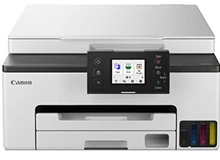
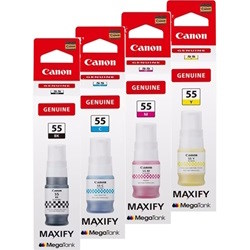
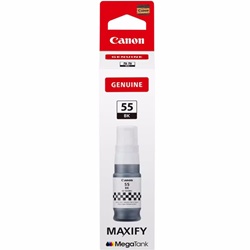
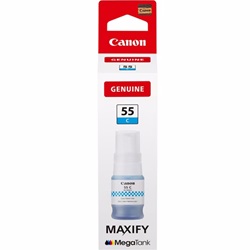
Shop ink bottles for your Canon MAXIFY GX2060 MegaTank, which uses the Canon GI-55 ink bottles series along with MC-G05 maintenance cartridges. Ink Depot has been supplying reliable consumables for this printer since Aug 2024. Designed for small office productivity, this refillable MegaTank model delivers fast desktop document output. Our 4.8 Google rating proves it: we consistently supply premium cartridges backed by rock-solid reliability. Heavy text workflows typically deplete GI-55BK black ink sooner than GI-55C, GI-55M, and GI-55Y colour bottles.
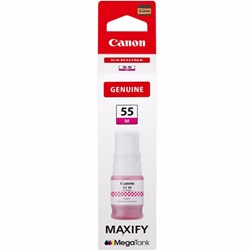
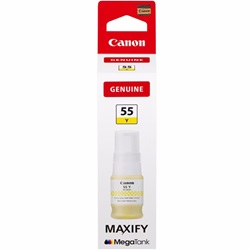
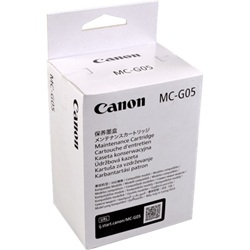
Expected Yield and Refill Output
Page yields for Canon GI-55 ink bottles are measured under ISO/IEC 24711 testing standards using standard A4 office test pages. Continuous document workflows benefit from predictable output across all bottles, maintaining low operating overheads for high-volume text and business graphics.
| Cartridge Number | Type | Colour | Page Yield | Cost Per Page |
|---|---|---|---|---|
| GI-55BK | Standard | Black | 3,000 | $0.005 |
| GI-55C | Standard | Cyan | 3,000 | $0.004 |
| GI-55M | Standard | Magenta | 3,000 | $0.004 |
| GI-55Y | Standard | Yellow | 3,000 | $0.004 |
Cost Per Page = Total Cartridge Price ÷ Page Yield (at 5% coverage). Prices based on Genuine cartridges.
MC-G05 Maintenance Components
The Canon MAXIFY GX2060 MegaTank includes an MC-G05 maintenance cartridge to collect excess ink during automatic cleaning cycles. Experience Tip: The MC-G05 maintenance cartridge is a separate consumable with its own internal microchip that alerts you when it reaches full capacity, allowing quick replacement without requiring a technician.
Ordering Options and Shipping Information
If you print mostly text documents, ordering extra GI-55BK black ink bottles ensures uninterrupted office output. Buying multipacks or stocking full sets of GI-55 colour bottles keeps your office prepared for presentation print runs. Orders ship quickly from our distribution hubs in Perth, Brisbane, Sydney, Melbourne, and Adelaide. Free delivery applies on all orders over $99. Explore our complete range of Canon ink bottles, backed by our clear returns policy.
Key Consumable Advice
Always check the ink level window indicators on your MAXIFY GX2060 MegaTank printer before pouring in GI-55 ink bottles, ensuring you empty the bottle completely into the matching colour-coded reservoir port.
Frequently Asked Questions
Can I mix GI-55 pigment ink bottles with standard dye-based Canon inks?
No, GI-55 ink bottles contain pigment-based inks specifically formulated for MAXIFY printheads to deliver water-resistant text. Mixing with dye inks can damage print nozzles and alter print durability.
How often does the MC-G05 maintenance cartridge need to be replaced?
Replacement frequency depends on print volume and automatic cleaning cycles; the printer monitors absorption capacity and prompts you on-screen when the MC-G05 cartridge requires swapping.
Are GI-55 ink bottles spill-proof during refilling?
Yes, GI-55 bottles feature keyway nozzles unique to each ink port, opening only when inverted over the matching tank to prevent accidental cross-colour contamination or spills.


