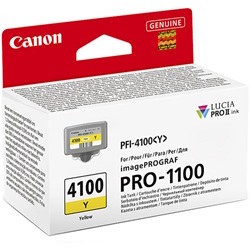
Canon imagePROGRAF PRO-1100 Ink Cartridges

Your Canon imagePROGRAF PRO-1100 uses the PFI-4100 cartridge series. This professional 12-ink LUCIA PRO II system is designed for gallery-standard output, featuring dedicated Photo Grey, Grey, and Chroma Optimizer inks to ensure exceptional tonal transitions and surface gloss. Unlike standard office printers, the ink depletion in this creative system is highly dependent on the paper surfaces you use and the colour profile of your photography. Replacing individual 80ml tanks as they expire allows for precise colour management without the waste associated with integrated cartridges.

Canon imagePROGRAF PRO-1100

Printer for display only - not held in stock

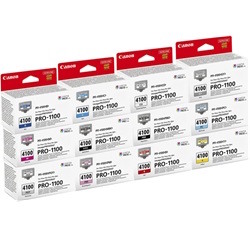
12 Pack Canon PFI-4100 Genuine Ink Cartridges
Standard Yield - Bundle Pack
In Stock
$860.11$877.72
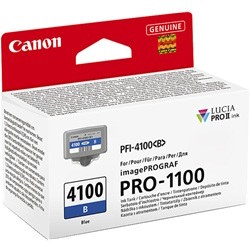
Canon PFI-4100B Blue Genuine Ink Cartridge
Standard Yield - 80ml
In Stock
$73.14
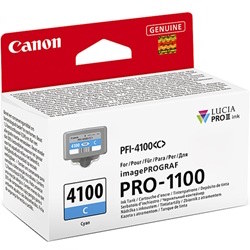
Canon PFI-4100C Cyan Genuine Ink Cartridge
Standard Yield - 80ml
In Stock
$73.14
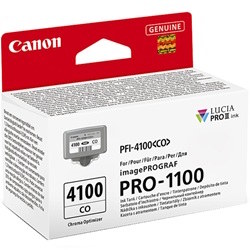
Canon PFI-4100CO Chroma Optimizer Genuine Ink Cartridge
Standard Yield - 80ml
In Stock
$73.14
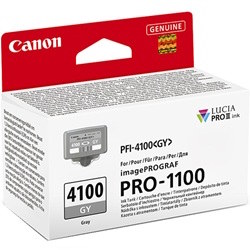
Canon PFI-4100GY Grey Genuine Ink Cartridge
Standard Yield - 80ml
In Stock
$73.14
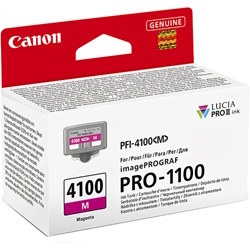
Canon PFI-4100M Magenta Genuine Ink Cartridge
Standard Yield - 80ml
In Stock
$73.14
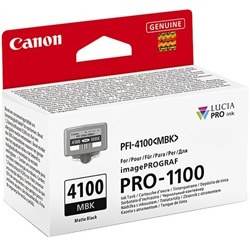
Canon PFI-4100MBK Matte Black Genuine Ink Cartridge
Standard Yield - 80ml
In Stock
$73.14
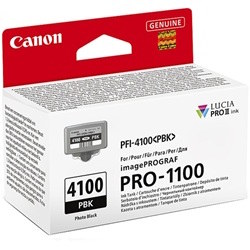
Canon PFI-4100PBK Photo Black Genuine Ink Cartridge
Standard Yield - 80ml
In Stock
$73.14
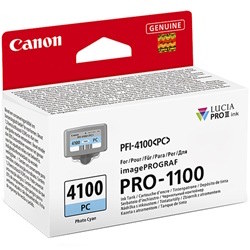
Canon PFI-4100PC Photo Cyan Genuine Ink Cartridge
Standard Yield - 80ml
In Stock
$73.14
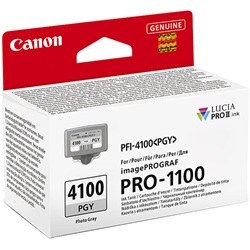
Canon PFI-4100PGY Photo Grey Genuine Ink Cartridge
Standard Yield - 80ml
In Stock
$73.14
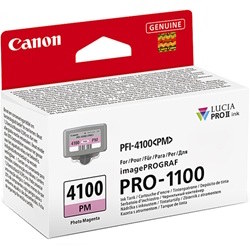
Canon PFI-4100PM Photo Magenta Genuine Ink Cartridge
Standard Yield - 80ml
In Stock
$73.14
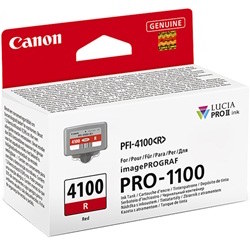
Canon PFI-4100R Red Genuine Ink Cartridge
Standard Yield - 80ml
In Stock
$73.14
Canon PFI-4100Y Yellow Genuine Ink Cartridge
Standard Yield - 80ml
In Stock
$73.14

Colour usage and depletion patterns

Because the imagePROGRAF PRO-1100 utilises a wide-gamut 12-colour system, you will notice that certain inks like Chroma Optimizer (PFI-4100CO) or Photo Grey may deplete faster than primary colours depending on your print settings. The Chroma Optimizer is applied as a coating to regulate surface reflection, so high-gloss printing will consume this tank more rapidly. To maintain consistency across a large print run, many photographers prefer to keep a full set of Canon Ink Cartridges on hand to avoid interruptions during deep-colour saturation tasks.

Expected page output for PFI-4100 inks

Yields for these professional pigment inks are measured based on specific photo printing standards rather than the standard document text used for office machines. For inkjet photo printers of this calibre, Canon typically determines page yield based on the ISO/JIS-SCID N5 pattern printed on 10x15cm Photo Paper Plus Glossy II, or for larger formats, the ISO/IEC 29103 standard. These figures represent a continuous printing environment; real-world yields will vary based on the number of cleaning cycles the printer performs and the density of the images being produced.

Ordering and logistics

We facilitate fast dispatch from our national network of warehouses in Perth, Brisbane, Sydney, Melbourne, and Adelaide. This ensures that creative professionals can maintain their production schedules with minimal downtime. Free delivery applies on all orders over $99 (conditions apply). While this printer currently uses genuine PFI-4100 series tanks to ensure the longevity and archival lightfastness of the LUCIA PRO II pigment system, we provide various bundle options to help manage the investment in a full 12-colour refresh.

Pro Tip

Always perform a nozzle check before starting a large-format gallery print if the printer has been idle for more than a few days. The PFI-4100 pigment inks are high-density, and ensuring the firing mechanism is clear prevents wasting expensive large-format media and ink on a streaked final product.

Frequently Asked Questions

Why is my imagePROGRAF PRO-1100 using ink even when I am only printing black and white photos?

The PRO-1100 uses a combination of Photo Black, Matte Black, Grey, and Photo Grey to create neutral monochrome tones. Additionally, small amounts of colour inks and the Chroma Optimizer are often used in the "under-printing" process to stabilise the pigments and ensure the archival quality of the greyscale transition.

Can I swap between Matte Black and Photo Black without wasting ink?

The imagePROGRAF PRO-1100 features dedicated nozzles for both Matte Black (PFI-4100MBK) and Photo Black (PFI-4100PBK). Unlike older professional models, this system does not require a "black ink switch" which used to flush the lines and waste significant amounts of ink when changing from glossy to matte paper.

How does the PFI-4100 system handle the Chroma Optimizer?

The PFI-4100CO (Chroma Optimizer) is a clear coating used specifically on glossy and semi-gloss papers. It fills the gaps between pigment particles to create a flat surface, which reduces "bronzing" and ensures that blacks look deep and consistent regardless of the lighting angle. If you print exclusively on matte or fine art papers, your CO cartridge usage will be significantly lower.

Save Up to 70%

Buy inks and toners at unbelievably low prices.

Tech & Office Products

Shop for a range of tech and office products from top brands.

Easy Returns

At Ink Depot, enjoy the convenience of easy returns.

Want to keep in touch?

We'll send you exclusive offers, discounts, and early access to new products.