
Canon i9950 Ink Cartridges
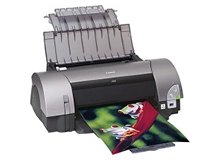
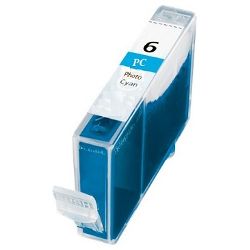
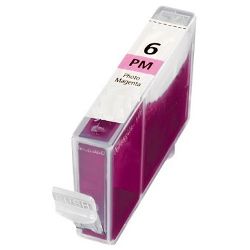
Shop ink cartridges for your Canon i9950, which uses the Canon BCI-3E / BCI-6 ink cartridges series. Ink Depot has been supplying reliable consumables for this A3+ wide-format 8-colour photo printer since Jan 2003. Our 4.8 Google rating reflects a long-standing track record of premium cartridge performance. Individual colour cartridges like BCI-6PC Photo Cyan and BCI-6PM Photo Magenta mean you only replace depleted shades, maintaining subtle tonal transitions across expansive gallery prints.



Expected Output and Photo Cartridge Yield
Page yields for Canon BCI-6 cartridges are measured in accordance with ISO/IEC 24711 standards using standard continuous printing test suites. High-density photo printing and wide-format A3 output consume ink faster than standard document coverage, particularly in mid-tone shades such as Photo Cyan and Photo Magenta.
| Cartridge Number | Type | Colour | Page Yield | Cost Per Page |
|---|---|---|---|---|
| BCI-6BK | Standard | Black | 280 | $0.026 |
| BCI-6C | Standard | Cyan | 100 | $0.072 |
| BCI-6PC | Standard | Cyan | 100 | $0.072 |
| BCI-6M | Standard | Magenta | 100 | $0.072 |
| BCI-6PM | Standard | Magenta | 100 | $0.072 |
| BCI-6Y | Standard | Yellow | 100 | $0.072 |
| BCI-6R | Standard | Red | 100 | $0.072 |
Cost Per Page = Total Cartridge Price ÷ Page Yield (at 5% coverage). Prices based on Compatible cartridges.
Compatible BCI-6 Ink Options
Our premium compatible BCI-6 ink cartridges deliver consistent colour accuracy and tonal density for your photographic prints at a fraction of the cost. Every compatible cartridge comes backed by a 90-day money-back guarantee. Read our guide on genuine vs compatible cartridges to understand how third-party options perform. Under Australian Consumer Law, using compatible cartridges does not void your printer warranty.
Managing Your Ink Replacements
If you print detailed portraiture or landscapes, photo shades like BCI-6PC and BCI-6PM tend to deplete faster than primary black or red inks. Stocking extra photo cyan and photo magenta cartridges keeps your printing workflow seamless. All purchases are backed by our risk-free returns policy. Free delivery applies on all orders over $99, dispatched quickly from our warehouses in Sydney, Melbourne, Brisbane, Perth and Adelaide. Explore our full range of Canon ink cartridges for all your printing needs.
Ink Management Pro Tip
When replacing individual BCI-6 cartridges in an 8-colour photo printer, swap only the depleted colour cartridge immediately when prompted rather than replacing cartridges pre-emptively; the printer's optical ink sensing system accurately measures actual liquid levels to ensure zero ink waste.
Frequently Asked Questions
Why do BCI-6 Photo Cyan and Photo Magenta cartridges drain faster than standard Cyan and Magenta?
In an 8-colour ink system like the Canon i9950, lighter photo shades are heavily used in highlights, skintones, and smooth gradient transitions to eliminate visible dot grain. Consequently, Photo Cyan (BCI-6PC) and Photo Magenta (BCI-6PM) undergo higher droplet firing volume during photo printing compared to primary Cyan (BCI-6C) and Magenta (BCI-6M).
Can I install standard BCI-6 Cyan into the slot designated for BCI-6 Photo Cyan?
No, BCI-6PC (Photo Cyan) and BCI-6C (Standard Cyan) contain completely different dye formulations and density levels. Swapping cartridge slots will result in incorrect colour mapping, severely distorted colour balance, and oversaturated print output.
How does the Canon i9950 determine when a BCI-6 cartridge is completely empty?
The i9950 uses a dual detection system: an optical prism at the base of each transparent BCI-6 cartridge detects when liquid ink runs low, followed by dot-counting logic to track remaining ink in the sponge chamber. This ensures you receive accurate early warnings before ink runs out mid-print.


