
Canon i6500 Ink Cartridges
Your Canon i6500 uses BCI-3eBK ink cartridges for reliable monochrome output. Ink Depot has been supplying reliable consumables for this printer since Jan 2003. Built as an A3 desktop inkjet printer capable of handling wide-format posters and oversized documents, this unit relies on steady black ink delivery for sharp text and fine graphic lines. Keeping spare BCI-3eBK cartridges on hand prevents workflow halts during large printing tasks. Our 4.8 Google rating reflects a long-standing track record of premium cartridge performance.

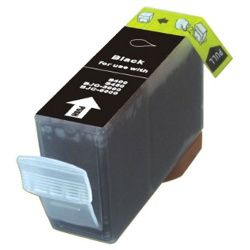
Expected page output and replacement cycles
Page yields for Canon BCI-3eBK ink cartridges are measured using ISO/IEC 24711 standard testing procedures on continuous A4 text printouts. Actual page output varies based on coverage, printing frequency, and print resolution settings, particularly when outputting wide-format graphics or dense images.
| Cartridge Number | Type | Colour | Page Yield | Cost Per Page |
|---|---|---|---|---|
| BCI-3eBK | Standard | Black | 500 | $0.016 |
Cost Per Page = Total Cartridge Price ÷ Page Yield (at 5% coverage). Prices based on Compatible cartridges.
Quality performance with compatible cartridges
Using premium compatible BCI-3eBK ink cartridges allows you to maintain print quality while controlling everyday running expenses. Under Australian Consumer Law, using compatible cartridges does not void your printer warranty. These third-party cartridges are manufactured to match the fitting and performance specifications of original Canon consumables. For a detailed comparison of options, read our guide on genuine vs compatible cartridges.
Selecting the best restocking option
Whether you produce high-density plans or basic text documents, buying replacement BCI-3eBK cartridges in multi-packs helps prevent unexpected interruptions. Compatible alternatives offer significant savings and come backed by a money-back guarantee if they fail to meet your expectations. You can review full terms in our returns policy. We dispatch directly from distribution centers in Sydney, Melbourne, Brisbane, Adelaide, and Perth. Free delivery applies on all orders over $99. Explore our full range of Canon ink cartridges to keep your workspace supplied.
Pro Tip
Always keep a spare BCI-3eBK ink cartridge ready when outputting A3 graphics or wide-format documents; large page dimensions consume significantly more volume per sheet than standard A4 pages, causing cartridges to deplete faster than expected during heavy printing sessions.
Frequently Asked Questions
Why does the Canon i6500 run out of BCI-3eBK black ink faster when printing greyscale photos?
The Canon i6500 uses composite black techniques in photo print modes, blending black ink with colour cartridges to smooth out tonal gradations. When producing high-resolution monochrome graphics or posters, black ink consumption increases significantly compared to standard draft text printing.
Can I print in black and white if one of the colour cartridges is empty on the Canon i6500?
No, the printer requires all recognised cartridge slots to contain functional ink cartridges to prevent printhead damage from dry firing. Even if you set your driver software to monochrome mode, every cartridge must be present and contain sufficient ink before a print job will begin.
How does storage orientation affect BCI-3eBK replacement cartridges before installation?
BCI-3eBK cartridges use a sponge-based reservoir system. Storing spare cartridges upright in a cool, dark environment ensures even ink saturation across the internal foam material, preventing air locks and micro-voids when opened and installed into the printhead assembly.


