
Canon Fax-JX510 Ink Cartridges
Your Canon Fax-JX510 printer uses the PG-40 and CL-41 ink cartridges. Ink Depot has been supplying reliable consumables for this printer since Nov 2010. A compact desktop inkjet fax printer, the Fax-JX510 relies on crisp black output for routine incoming faxes and document logs. Selecting compatible PG-40 cartridges provides substantial savings during high-volume document transmission. Our 4.8 Google rating reflects a long-standing track record of premium cartridge performance.

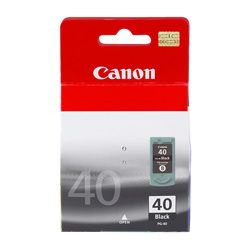
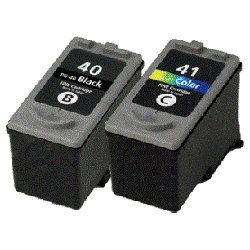
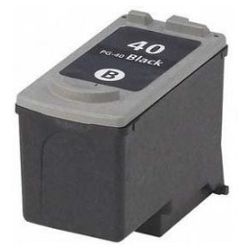
Expected Page Output and Replacement Cycles
Page yields for PG-40 cartridges are measured under ISO/IEC 24711 standard testing for continuous A4 document printing. Heavy text coverage or frequent short fax printouts will consume ink faster than standard document testing predicts.
| Cartridge Number | Type | Colour | Page Yield | Cost Per Page |
|---|---|---|---|---|
| PG-40 | High Yield | Black | 329 | $0.13 |
Cost Per Page = Total Cartridge Price ÷ Page Yield (at 5% coverage). Prices based on Genuine cartridges.
Choosing Between Genuine and Compatible Options
Compatible PG-40 cartridges provide an economical alternative to original Canon supplies for daily fax and document printing. Under Australian Consumer Law, using compatible cartridges does not void your printer warranty. Every compatible unit undergoes thorough testing to ensure consistent print density and reliable feeding. Read our guide on genuine vs compatible cartridges to compare performance features.
Smart Purchasing and Fast Delivery
If you print mainly text and incoming faxes, ordering compatible PG-40 cartridges or multi-packs significantly reduces ongoing running costs. All compatible cartridges are backed by a money back guarantee if they do not work. Explore our full range of Canon ink cartridges for reliable desktop printing. Free delivery applies on all orders over $99. We dispatch quickly from nationwide warehouses located in Perth, Brisbane, Sydney, Melbourne and Adelaide.
Pro Tip
Because the PG-40 cartridge incorporates the printhead directly onto the ink shell, installing a fresh cartridge completely refreshes the print mechanism, helping maintain clear monochrome text on older fax units.
Frequently Asked Questions
What is the difference between Canon PG-40 and PG-50 cartridges?
Both PG-40 and PG-50 cartridges are physically identical in shape and fit the same slot in compatible Canon printers. The PG-40 is the standard yield option, whereas the PG-50 is a high-yield variant containing more ink for lower cost per page.
Can I install a PG-40 black cartridge if my Fax-JX510 does not have a CL-41 colour cartridge installed?
The Canon Fax-JX510 requires both a black (PG-40) and colour (CL-41) cartridge installed in the carrier to operate, even if you only print monochrome faxes. If either slot is empty, the printer will report a cartridge error.
Why does my fax report low ink even after installing a fresh PG-40 cartridge?
This can occur if the electrical contacts on the cartridge or printer cradle have minor residue. Cleaning the copper contact pads gently with a dry lint-free cloth before seating the cartridge ensures proper communication with the printer sensor.


