
Canon Fax-JX500 Ink Cartridges
Shop ink cartridges for your Canon Fax-JX500, which uses the Canon PG-40 ink cartridge series. Ink Depot has been supplying reliable consumables for this printer since Sep 2009. Designed as a plain-paper fax printer for home office environments, incoming transmissions depend heavily on steady Black ink output. Our 4.8 Google rating reflects a long-standing track record of premium cartridge performance. Keeping extra PG-40 cartridges on hand ensures uninterrupted document printing.

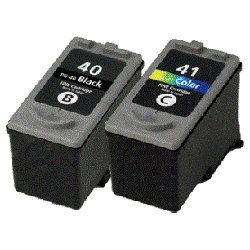
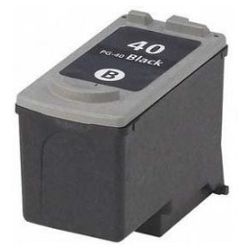
Expected page output and ink usage
Page yields for Canon PG-40 cartridges are measured under ISO standard testing based on standard five percent page coverage. Actual yield varies based on incoming fax density, document text heavy pages, and coverage levels during daily printing.
| Cartridge Number | Type | Colour | Page Yield | Cost Per Page |
|---|---|---|---|---|
| PG-40 | High Yield | Black | 330 | $0.081 |
Cost Per Page = Total Cartridge Price ÷ Page Yield (at 5% coverage). Prices based on Compatible cartridges.
What to know about compatible cartridges
Under Australian Consumer Law, using compatible cartridges does not void your printer warranty. Compatible PG-40 ink cartridges offer an economical solution for routine document printing and daily fax reception without compromising text clarity. For a detailed breakdown of performance and quality standards between cartridge options, read our guide comparing genuine vs compatible cartridges.
Choosing the right cartridge setup
If you receive frequent faxes or print daily text documents, selecting multi-cartridge bundle packs helps reduce print costs while maintaining a steady supply of replacement ink. Compatible options sold at Ink Depot come with a money back guarantee to ensure reliable operation in your printer. Orders are dispatched quickly from distribution centres across Perth, Brisbane, Sydney, Melbourne and Adelaide. Free delivery applies on all orders over $99. Explore our full range of Canon ink cartridges for all your printing requirements, backed by our clear returns policy.
Pro Tip
Because fax printers print incoming messages automatically upon receipt, running completely out of black ink can cause incoming transmissions to fail or remain stored in memory. Keeping an unopened PG-40 cartridge ready prevents document downtime during critical transmissions.
Frequently Asked Questions
Will the Canon Fax-JX500 still receive faxes if the black ink cartridge runs empty?
When black ink drops below usable levels, the printer halts incoming page printing and stores received documents in internal memory until a fresh PG-40 cartridge is installed, preventing transmission loss.
What is the difference between single cartridges and bundle packs for this printer?
Single PG-40 cartridges suit light printing demands, whereas bundle packs combine multiple cartridges at a lower overall cost per unit, helping lower operational printing costs for active office environments.
Does the Canon Fax-JX500 print sharp text on standard copy paper?
Yes, PG-40 black ink uses pigmented ink formulations designed specifically to deliver crisp, smear-resistant black text on standard plain office paper and plain paper fax sheets.


