
Canon BJC-4550 Ink Cartridges
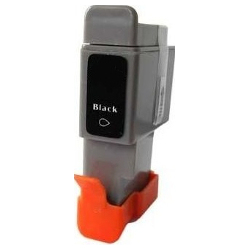
Your Canon BJC-4550 uses the BCI-21 ink cartridge series. Ink Depot has been supplying reliable consumables for this printer since Jul 2007. This wide-format desktop printer handles A3 document printing for home office and creative projects. Replacing worn BCI-21 Black ink cartridges promptly maintains sharp text output, while replacing BCI-21 Colour cartridges keeps graphics clear. Our 4.8 Google rating reflects a long-standing track record of premium cartridge performance.



Expected Page Output and Replacement Cycles
Standard yield test procedures for BCI-21 inkjet cartridges follow ISO/IEC testing standards. Output varies depending on document coverage, with monochrome text consuming less ink per page than heavy colour graphics or image prints.
What to Know About Compatible BCI-21 Cartridges
Under Australian Consumer Law, using compatible cartridges does not void your printer warranty. Choosing compatible options helps lower everyday printing expenses without compromising reliability. Read our genuine vs compatible cartridges guide to learn how third-party cartridges compare in standard home environments.
Choosing the Right Cartridge Setup
If you print mainly text documents, purchasing BCI-21 Black cartridges in multipacks helps reduce unit expenses. If you print photos or colour charts, keeping a spare BCI-21 Colour cartridge ready avoids delays. Our compatible cartridges feature a money-back guarantee if they fail to perform. Review our returns policy for details. Free delivery applies on all orders over $99, dispatched quickly from our warehouses in Perth, Brisbane, Sydney, Melbourne and Adelaide. Browse our full range of Canon ink cartridges for reliable printing.
Pro Tip for Canon BJC-4550 Ink Cartridges
Keep extra BCI-21 Black cartridges on hand if your workflow involves wide-format A3 text documents, as larger paper sizes increase total ink consumption per page compared to standard A4 printing.
Frequently Asked Questions
How does colour depletion work in the BCI-21 tri-colour cartridge?
The BCI-21 Colour cartridge contains cyan, magenta and yellow ink in a single housing. If one primary colour runs out during heavy use of specific tones, the entire colour cartridge must be replaced to restore complete colour balance.
Can I replace the BCI-21 Black cartridge independently of the colour cartridge?
Yes, the Canon BJC-4550 uses separate printhead carriage slots for the BCI-21 Black and BCI-21 Colour cartridges, allowing you to replace the black ink tank whenever it empties without disturbing the colour tank.
How should unopened BCI-21 cartridges be stored to maintain performance?
Store sealed BCI-21 cartridges upright in a cool, dark environment away from direct heat sources. Keeping them sealed in their original packaging prevents the internal sponge material from drying out before installation.


