
Brother MFC-L2800DW Toner Cartridges
Shop toner cartridges for your Brother MFC-L2800DW, which uses the Brother TN2530, TN2530XL and TN2530XXL toner cartridge series along with DR2530 drum units. Ink Depot has supplied dependable consumables for this printer since Jan 2024. The Brother MFC-L2800DW is a compact monochrome laser printer designed for quick text printing in small business settings. Our 4.8 Google rating reflects a long-standing track record of premium cartridge performance. Replacing standard TN2530 cartridges with high-yield TN2530XL options reduces cost per page for routine paperwork.


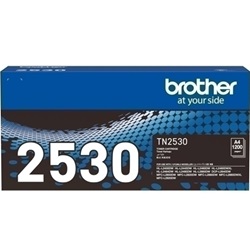
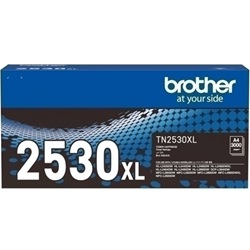

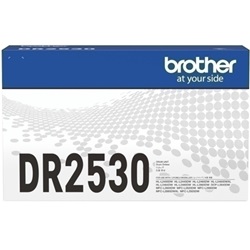
Toner Yield and Output Performance
Monochromatic laser toner yields for Brother cartridges are determined using ISO/IEC 19752 testing standards based on 5% page coverage. High-volume document workflows benefit from high-yield options, as higher page capacity reduces overall replacement frequency during heavy print runs.
| Cartridge Number | Type | Colour | Page Yield | Cost Per Page |
|---|---|---|---|---|
| TN2530 | Standard | Black | 1,200 | $0.090 |
| TN2530XL | High Yield | Black | 3,000 | $0.055 |
Cost Per Page = Total Cartridge Price ÷ Page Yield (at 5% coverage). Prices based on Genuine cartridges.
Choosing Between Genuine and Compatible Cartridges
Compatible TN2530XL toner cartridges provide a cost-effective alternative to genuine Brother supplies without sacrificing document clarity or print reliability. Under Australian Consumer Law, using compatible cartridges does not void your printer warranty. Read our comprehensive genuine vs compatible cartridge guide to evaluate performance and savings across both options.
Managing Drum Units and Consumable Life
The Brother MFC-L2800DW uses a two-piece consumable system where the toner cartridge and DR2530 drum unit operate independently. While toner cartridges require periodic replacement based on print volume, the DR2530 drum unit offers an extended rating of up to 15,000 pages, usually outlasting multiple toner changes before requiring replacement.
Ordering Options and Nationwide Delivery
For everyday text documents and general office output, switching to high-yield TN2530XL cartridges offers greater overall output efficiency. If selecting compatible options for maximum cost savings, all purchases are backed by our risk-free guarantee and hassle-free returns policy. Free delivery applies on all orders over $99. To maintain consistent workflow, we ship rapidly from dispatch hubs located in Sydney, Melbourne, Brisbane, Perth, and Adelaide. Explore our complete selection of Brother toner cartridges for reliable restocks.
Pro Tip
Keep a spare TN2530XL cartridge on hand even when print notifications appear low; Brother laser printers utilise independent drum and toner tracking, allowing you to print until the toner is completely depleted before swapping.
Frequently Asked Questions
Do I need to replace the DR2530 drum unit every time I change the TN2530 toner?
No. The drum unit and toner cartridge are separate components in this printer system. The DR2530 drum unit typically lasts up to 15,000 pages, meaning you will replace the TN2530 or TN2530XL toner cartridge several times before needing a new drum.
Can I install a high-yield TN2530XL toner cartridge in the MFC-L2800DW if it came with a standard TN2530?
Yes, the TN2530XL high-yield toner cartridge shares the exact physical footprint as the standard TN2530 cartridge and fits directly into the DR2530 drum assembly slot, delivering more pages per unit.
How does print coverage affect the actual yield of TN2530XL toner cartridges?
Page yields are rated at 5% coverage under ISO/IEC standard testing. If your office prints dense graphics, bold logos, or full-page text documents with higher coverage, actual page yields will naturally adjust proportionally.


