
Brother HL-L2480DW Toner Cartridges
Shop toner cartridges for your Brother HL-L2480DW, which uses the Brother TN2530, TN2530XL and TN2530XXL toner cartridge series along with DR2530 drum units. Ink Depot has been supplying reliable consumables for this printer since Jan 2024. This compact monochrome laser printer produces sharp text documents for home office and business environments. Upgrading from standard TN2530 toner to high-yield TN2530XL options extends printing runs and lowers routine operating expenses. Our 4.8 Google rating reflects a long-standing track record of premium cartridge performance.


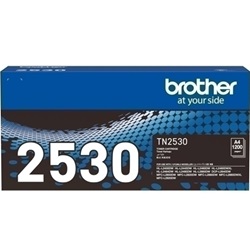
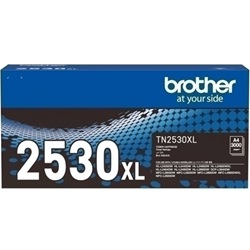

Expected Page Output and Cartridge Yields
Black toner page yields for the Brother HL-L2480DW are measured using ISO/IEC 19752 standardised testing for monochrome laser printers. High-yield TN2530XL cartridges deliver substantially more prints per unit, making them the most practical choice for routine office document workflows.
| Cartridge Number | Type | Colour | Page Yield | Cost Per Page |
|---|---|---|---|---|
| TN2530 | Standard | Black | 1,200 | $0.090 |
| TN2530XL | High Yield | Black | 3,000 | $0.055 |
Cost Per Page = Total Cartridge Price ÷ Page Yield (at 5% coverage). Prices based on Genuine cartridges.
Choosing Between Genuine and Compatible Options
Both genuine Brother toner and third-party compatible cartridges are available for this printer. Under Australian Consumer Law, using compatible cartridges does not void your printer warranty. Choosing compatible TN2530XL cartridges helps lower print expenses on high-volume document runs. Learn more about performance differences in our genuine and compatible cartridges guide.
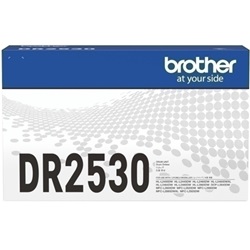
Drum Unit Lifecycle and Replacement
The Brother HL-L2480DW uses a separate drum unit alongside the toner cartridge. The DR2530 drum unit has an estimated lifespan of 15,000 pages and operates independently, meaning it outlasts multiple TN2530 or TN2530XL toner replacements before needing to be renewed.
Selecting the Right Cartridge Setup
For light document printing, standard TN2530 toner cartridges provide an affordable initial outlay. For heavier business printing, high-yield TN2530XL cartridges or multi-packs offer greater long-term value. Our compatible cartridges include a full money-back guarantee if they fail to perform. Order your Brother toner cartridges today for fast dispatch from local warehouses in Perth, Brisbane, Sydney, Melbourne, and Adelaide. Free delivery applies on all orders over $99. Review details on product guarantees via our returns policy.
Pro Tip for Cartridge Buyers
The DR2530 drum unit and TN2530 toner cartridge fit together inside the printer as separate parts. When your printer alerts you that toner is low, replace only the TN2530 or TN2530XL toner cartridge and keep using the original drum unit until its independent 15,000-page lifespan is reached.
Frequently Asked Questions
Can I install a high-yield TN2530XL cartridge if my printer previously used a standard TN2530?
Yes. The TN2530XL cartridge shares the exact outer dimensions and fits the same slot inside the DR2530 drum unit as the standard TN2530, but contains additional toner powder to produce more pages.
Why is the DR2530 drum unit sold separately from the TN2530 toner cartridge?
Brother laser printers use a two-component printing system. The TN2530 cartridge holds the black toner powder, while the DR2530 drum unit transfers that powder onto paper. Because the drum lasts up to 15,000 pages, you will replace the toner cartridge several times before the drum unit needs replacing.
What is the main advantage of buying TN2530XL bundle packs?
TN2530XL bundle packs reduce the cost per cartridge compared to individual purchases and ensure you have spare toner on hand, preventing unexpected downtime during large print jobs.


