
Brother SP-1 Sublimation Printer Ink Cartridges
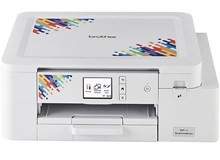
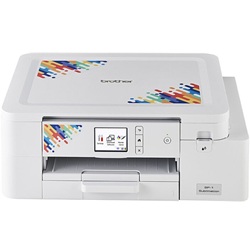
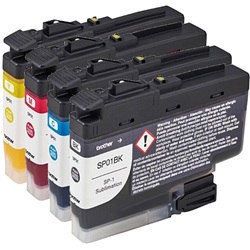
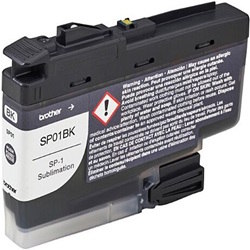
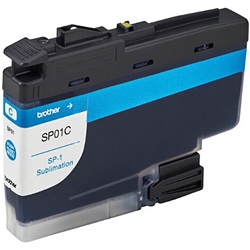
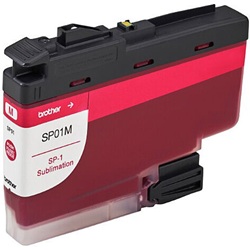
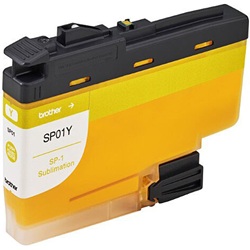
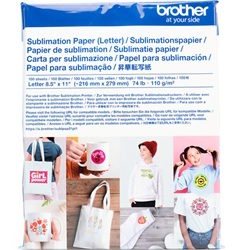
Shop ink cartridges for the Brother SP-1 compact sublimation printer, which uses the Brother SP01 sublimation ink cartridge series. These genuine 47 ml cartridges are designed specifically for the SP-1 and are available as individual colours, allowing you to replace cartridges such as SP01BK black or SP01C cyan only when required. For consistent transfer results, use suitable sublimation paper and follow the printer’s recommended maintenance and cleaning procedures, particularly when the printer has not been used regularly. Ink Depot has supplied consumables for this printer since Aug 2026, backed by our 4.8 Google rating.
Expected page output and replacement cycles
Page yields for the Brother SP01 series are measured using standard ISO testing procedures under continuous printing conditions. Real-world output varies based on ink coverage, print frequency, and media type.
Best way to stock these cartridges
For regular document and design printing, replacing single tanks such as SP01BK or SP01M when prompted avoids ink waste. Heavy users benefit from bundle options to keep spare colours on hand for uninterrupted projects. We dispatch genuine Brother ink cartridges from warehouses in Perth, Brisbane, Sydney, Melbourne and Adelaide. Free delivery applies on all orders over $99. If you ever need to return an unopened item, review our returns policy for details.
Pro Tip
Always keep the Brother SP-1 powered on or plugged in so it can perform automatic head cleaning cycles, preventing SP01 ink channels from clogging during periods of low activity.
Frequently Asked Questions
How do I handle individual colour depletion in the SP01 series?
The Brother SP-1 operates with distinct ink cartridges for each colour channel, allowing you to replace only SP01BK, SP01C, SP01M, or SP01Y as each container empties, rather than replacing a unified multi-pack.
What happens if an SP01 cartridge is left uninstalled after removing an empty one?
Leaving an ink slot empty on the Brother SP-1 exposes the internal printhead nozzles to air, which quickly causes drying and printhead blockages. Always install a replacement SP01 cartridge immediately after removing the depleted unit.
How does printhead maintenance impact overall SP01 ink consumption?
Automatic maintenance cycles consume small quantities of ink from all SP01 tanks to clear printhead nozzles. Running manual nozzle cleanings only when output shows banding helps conserve ink levels.


