
Brother MFC-L5755DW Toner Cartridges
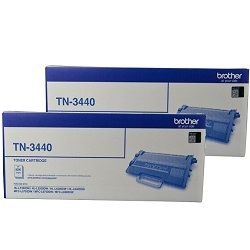
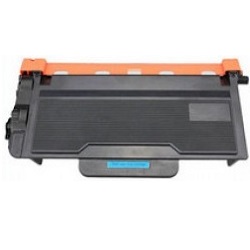
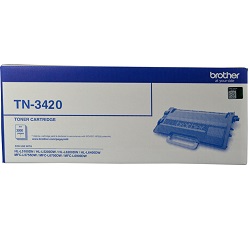
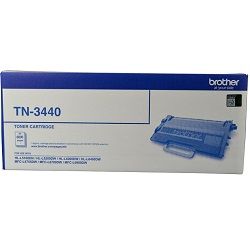
Your Brother MFC-L5755DW uses the TN-3420, TN-3440, TN-3470 toner cartridge series and DR-3425 drum unit. Supplying Australian businesses with high-yield office supplies since May 2016, we keep daily document workflows moving seamlessly. High-volume teams benefit by upgrading from standard TN-3420 cartridges to high-yield TN-3440 capacity options, significantly reducing supply swap interruptions during heavy invoice or report runs. As demonstrated by our 4.8 Google rating, we are committed to providing premium consumable cartridges.


Real-world document yields and testing benchmarks
Standard TN-3420 black cartridges yield up to 3,000 pages, while high-yield TN-3440 options deliver up to 8,000 pages following ISO/IEC 19752 laser testing metrics. Heavy text coverage, dense tables, or graphic backgrounds naturally reduce expected output page numbers.
| Cartridge Number | Type | Colour | Page Yield | Cost Per Page |
|---|---|---|---|---|
| TN-3420 | Standard | Black | 3,000 | $0.061 |
| TN-3440 | High Yield | Black | 8,000 | $0.040 |
Cost Per Page = Total Cartridge Price ÷ Page Yield (at 5% coverage). Prices based on Genuine cartridges.
Managing the independent drum unit assembly
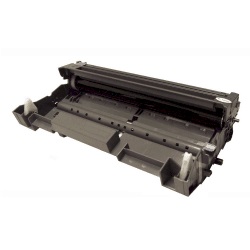
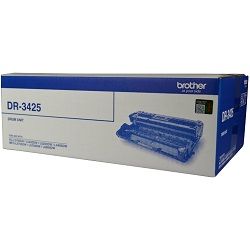
Monochrome laser systems separate toner supply from image generation, pairing the toner with a DR-3425 drum unit that lasts approximately 50,000 pages across multiple toner replacements.
Experience Tip: If white lines or faint print patches appear, gently slide the primary corona wire tab on the DR-3425 drum unit back and forth several times to clean the internal wire.
Lowering running costs with compatible cartridges
Choosing compatible TN-3440 cartridges provides substantial savings for busy offices generating high daily print volumes without forfeiting crisp text output. Under Australian Consumer Law, using compatible cartridges does not void your printer warranty. Compare performance benchmarks in our guide to genuine vs compatible cartridges.
Supply options and fast distribution networks
Workplaces producing high page volumes achieve optimal efficiency by stocking high-yield TN-3440 cartridges or multi-packs. Compatible options come backed by a money back guarantee for total purchasing confidence. Free delivery applies on all orders over $99. Orders dispatch rapidly from local warehouses in Sydney, Melbourne, Brisbane, Perth, and Adelaide. View our full selection of Brother toner cartridges or check our full returns policy before placing an order.
Pro Tip
Always choose high-yield TN-3440 cartridges over standard TN-3420 options if your office prints more than 400 pages monthly, as the cost-per-page drops by over 35% on genuine units and even further on compatibles.
Frequently Asked Questions
Can I install a high-yield TN-3440 cartridge if my printer currently contains a standard TN-3420?
Yes, standard TN-3420 and high-yield TN-3440 toner cartridges use identical outer physical dimensions and snap into the exact same drum housing unit without modification.
Why does the screen say "Replace Drum" immediately after inserting a new toner cartridge?
The TN-3420 and TN-3440 cartridges store the black toner powder, whereas the DR-3425 drum unit physically transfers the image to paper; they are separate components with individual replacement schedules.
How do I manually reset the drum counter after installing a new DR-3425 drum unit?
With the printer powered on and the front cover open, press and hold the OK button for about two seconds until "Drum Unit" appears, then press OK and select Reset.


