
Brother MFC-J6545DW Ink Cartridges
Your Brother MFC-J6545DW uses the LC3337 / LC3339XL ink cartridge series, a four-colour individual ink system built for heavy document production. Ink Depot has been supplying consumables for this printer since Jun 2021, assisting business environments in maintaining reliable output. Because small businesses typically scale their printing operations dynamically, tracking color depletion patterns reveals that text-heavy workflows exhaust black ink significantly faster than cyan, magenta, and yellow. Upgrading to high-yield or multi-pack options helps mitigate irregular replacement intervals, ensuring print workflows remain continuous.


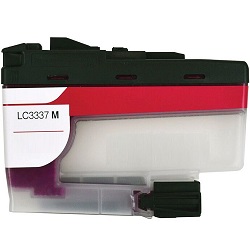
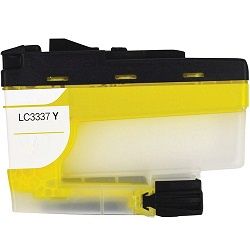
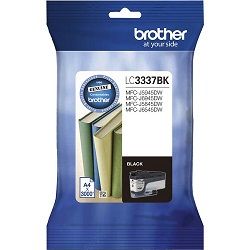
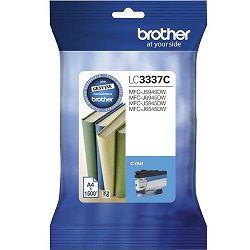
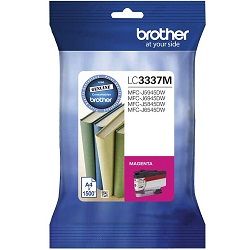
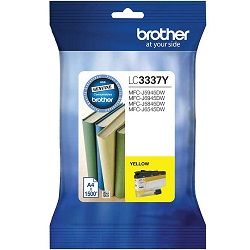
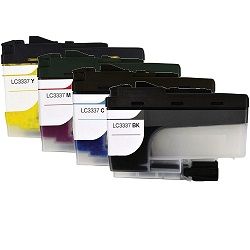

Page output expectations in real use
Real-world page outputs fluctuate depending on graphic density and document coverage. Standard testing metrics measure yields using the international ISO/IEC 24711 standard for inkjet systems, which applies a standardised 5% page coverage across text and graphic layouts. For small business environments processing text documents, the high initial yield capacity reduces the frequency of physical cartridge interventions. Monochrome prints scale down running costs effectively, while complex spreadsheets or marketing materials will draw down on the independent colour tanks concurrently, requiring occasional individual replacements rather than full system overhauls.
| Cartridge Number | Type | Colour | Page Yield | Cost Per Page |
|---|---|---|---|---|
| LC3337BK | Standard | Black | 3,000 | $0.016 |
| LC3337C | Standard | Cyan | 1,500 | $0.032 |
| LC3337M | Standard | Magenta | 1,500 | $0.032 |
| LC3337Y | Standard | Yellow | 1,500 | $0.032 |
Cost Per Page = Total Cartridge Price ÷ Page Yield (at 5% coverage). Prices based on Genuine cartridges.
Genuine vs compatible cartridges
Choosing alternative supplies offers an direct path to managing print overheads. Under Australian Consumer Law, using compatible cartridges does not void your printer warranty. Third-party options found in our catalogue match standard dimensional specifications, allowing trouble-free installation into the printer carrier. For full performance transparency, review the technical comparison available on our genuine vs compatible blog.
Managing cartridge replacements and procurement
Small business operators handling text-heavy administrative forms can limit delivery intervals by procuring bundled multi-packs, which insulate the office against unexpected colour depletion. If text documents form the bulk of your print output, keeping extra high-yield black supplies on hand prevents downtime. Third-party compatible options carry an absolute money-back guarantee, protecting your investment if any performance variations occur. Read the full details regarding our return procedures by visiting the Returns policy. Free delivery applies on all orders over $99, with shipments dispatched daily from our national distribution network located across warehouses in Perth, Brisbane, Sydney, Melbourne, and Adelaide. To explore the broader range of matching products, browse our primary Brother ink cartridges catalogue.
Pro Tip
Always install a new ink cartridge immediately after removing an old one; leaving the internal printhead carrier empty for extended periods allows residual ink channels to dry out, triggering head blocks that require ink-heavy cleaning cycles to clear.
Frequently Asked Questions
Why does my printer display a low colour ink warning when I print text documents?
The printer uses small amounts of colour ink during periodic printhead maintenance routines and automatic nozzle purges to prevent clogs. Additionally, standard monochrome print modes often blend small amounts of cyan, magenta, and yellow ink to enrich black text tones, causing subtle colour depletion even over pure text print runs.
Can I mix a compatible black cartridge with genuine Brother colour cartridges?
Yes, the individual ink configuration allows for independent operation, meaning you can combine a compatible cartridge with existing genuine supplies without causing technical conflict or internal chip recognition errors within the print carrier.
How do I store spare ink cartridges safely to ensure they reach their full service life?
Keep all spare cartridges sealed in their original airtight plastic packaging, positioned upright in a cool, dark environment. Exposing cartridges to extreme temperature fluctuations or direct sunlight before installation can degrade internal seals and alter ink viscosity.


