
Brother MFC-J5930DW MFC-J6935DW Ink Cartridges
Shop ink cartridges for your Brother MFC-J5930DW and MFC-J6935DW printers, which use the Brother LC3329XL ink cartridges series. Ink Depot has supplied business consumables for these office printers since Jan 2019. High-volume document printing depletes the LC3329XL Black cartridge faster than cyan, magenta, or yellow, making single-colour cartridge replacements or multi-packs the standard restock strategy. Our 4.8 Google rating reflects a long-standing track record of premium cartridge performance.

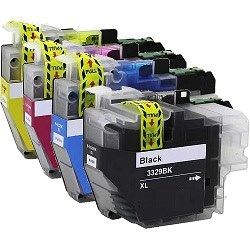
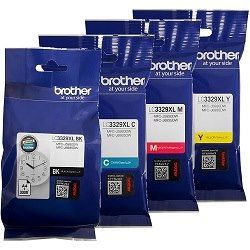
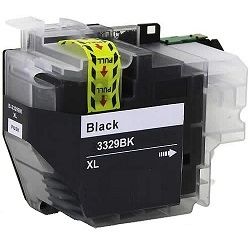
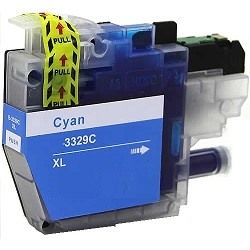
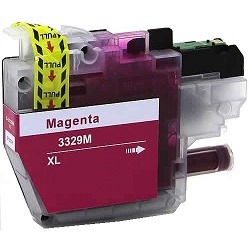


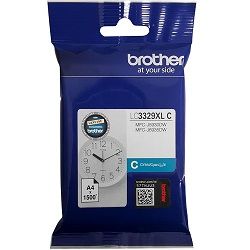
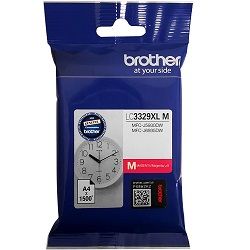
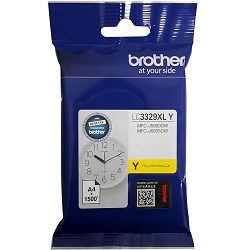
Expected page output and testing standards
Page yields for the high-capacity Brother LC3329XL series are measured according to ISO/IEC 24711 testing standards. Actual output will vary based on document ink coverage, graphic density, and print frequency in high-volume office environments.
| Cartridge Number | Type | Colour | Page Yield | Cost Per Page |
|---|---|---|---|---|
| LC3329XL BK | High Yield | Black | 3,000 | $0.014 |
| LC3329XL C | High Yield | Cyan | 1,500 | $0.031 |
| LC3329XL M | High Yield | Magenta | 1,500 | $0.031 |
| LC3329XL Y | High Yield | Yellow | 1,500 | $0.031 |
Cost Per Page = Total Cartridge Price ÷ Page Yield (at 5% coverage). Prices based on Genuine cartridges.
Understanding compatible vs genuine options
Compatible LC3329XL cartridges offer a cost-effective alternative for high-volume office printing without compromising reliability. Under Australian Consumer Law, using compatible cartridges does not void your printer warranty. Every compatible cartridge is manufactured to strict specifications to match genuine ink performance. Read our detailed guide on genuine vs compatible cartridges to decide which option suits your printing requirements.
Smart restocking strategies and delivery
If your daily printing consists mostly of invoices and text documents, maintaining extra LC3329XL Black cartridges prevents unexpected workflow delays. For offices producing full-colour presentation materials, buying value packs ensures continuous colour availability. All non-genuine cartridges come backed by our money-back guarantee if they do not meet performance expectations. Review our full returns policy for details. Orders are dispatched directly from our warehouses in Perth, Brisbane, Sydney, Melbourne, and Adelaide. Free delivery applies on all orders over $99. Explore our complete selection of Brother ink cartridges today.
Operational Pro Tip
When replacing your LC3329XL cartridges, allow the printer to finish its brief head-cleaning cycle before sending new print jobs to ensure optimal nozzle alignment and colour precision across A4 and A3 print runs.
Frequently Asked Questions
Do the MFC-J5930DW and MFC-J6935DW use the exact same ink cartridges?
Yes, both the Brother MFC-J5930DW and MFC-J6935DW share the identical LC3329XL cartridge series, meaning all black, cyan, magenta, and yellow cartridges in this range fit both printer models.
Can I replace a single depleted LC3329XL cartridge without changing the entire set?
Yes, these Brother printers feature an individual four-cartridge ink system. You only need to replace the specific colour cartridge that is empty, avoiding unnecessary ink waste.
Why does the LC3329XL Black cartridge offer a higher yield than the colour cartridges?
The LC3329XL Black cartridge is engineered for heavy text output with a 3,000-page capacity, whereas the cyan, magenta, and yellow cartridges yield 1,500 pages based on standard ISO testing, matching typical office black-to-colour usage ratios.
What should I do if the printer does not recognise a newly installed LC3329XL cartridge?
Ensure the printer is powered on when installing the cartridge so the internal sensor detects the change, and firmly press the locking lever until it clicks securely into place.


