
Brother MFC-J480DW Ink Cartridges
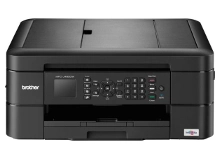
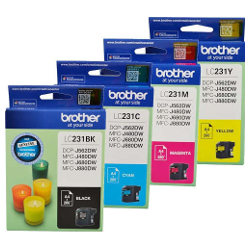
Your Brother MFC-J480DW uses the LC231 / LC233 cartridge series. This printer uses an individual four-ink setup, allowing you to change only the color that has run out rather than discarding a combined multi-colour unit. At Ink Depot, we have been supplying genuine consumables for this printer since Feb 2016, ensuring dependable performance. Home office settings usually notice black levels drop quickly due to everyday documentation, making multi-packs a practical option to maintain office workflow.



What to expect from each cartridge type
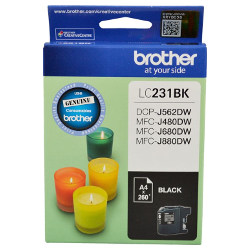
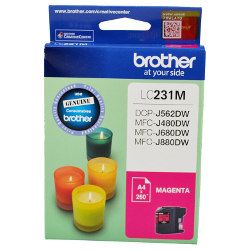
Page yields are measured using standard text documents based on the international ISO/IEC 24711 testing metric. For standard home office documents, the black cartridge delivers approximately 260 pages, while the individual cyan, magenta, and yellow options also print up to 260 pages each. Real-world mileage will fluctuate depending on document complexity, font choices, and how frequently the printer runs its printhead cleaning maintenance routines.
| Cartridge Number | Type | Colour | Page Yield | Cost Per Page |
|---|---|---|---|---|
| LC231 | Standard | Black | 260 | $0.16 |
| LC231 | Standard | Cyan | 260 | $0.093 |
| LC231 | Standard | Magenta | 260 | $0.093 |
| LC231 | Standard | Yellow | 260 | $0.093 |
Cost Per Page = Total Cartridge Price ÷ Page Yield (at 5% coverage). Prices based on Genuine cartridges.
Choosing the right cartridge setup
Managing your ink supply depends on your monthly printing habits. If you print text documents with occasional charts, purchasing multi-packs rather than lone items prevents unexpected downtime. Since this printer uses individual ink tanks, users who find certain colours deplete faster can replace single tanks easily. All orders are backed by our straightforward return terms, which you can read on our Returns policy page. Free delivery applies on all orders over $99, shipped quickly from our national distribution infrastructure located in Perth, Brisbane, Sydney, Melbourne, and Adelaide. To explore the wider range of options for this manufacturer, view our dedicated Brother ink cartridges catalogue.
Pro Tip
To minimise unnecessary ink consumption in a home office environment, configure your driver settings to draft or greyscale mode for everyday reference prints. This reduces the amount of ink fired per page and restricts the use of colour inks for text generation, extending the physical lifespan of your cartridges.
Frequently Asked Questions
Can I mix different cartridge capacities in the Brother MFC-J480DW at the same time?
Yes, you can install standard LC231 and high-capacity LC233 cartridges together in the same cradle. The printer reads the individual smart chips independently, so you can run an XL black alongside standard colour inks without facing compatibility or alignment errors.
Why does my colour ink drop when I am mostly printing mono text?
The printer performs periodic automatic cleaning cycles to keep the printhead nozzles clear and prevent permanent blockages. These maintenance procedures draw a tiny fraction of ink from all four individual cartridges simultaneously, even if your print jobs are strictly black text.
What happens if one colour ink cartridge is completely empty?
The printer will stop operating and display an ink replacement message on the control panel, preventing further print jobs until that cartridge is renewed. This safety feature ensures that air is not drawn into the printhead channels, which could cause permanent damage to the delicate firing mechanisms.


