
Brother MFC-9320CW MFC-9325CW Toner Cartridges
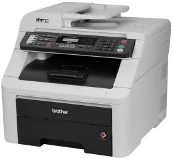
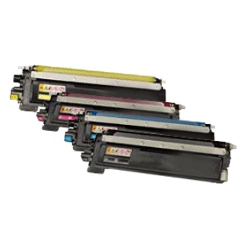
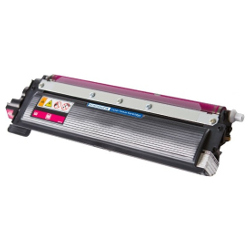
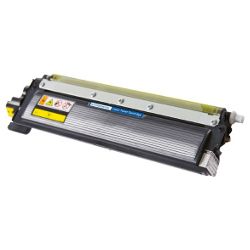
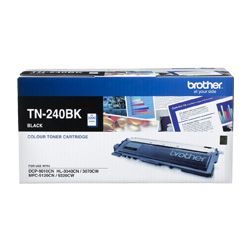
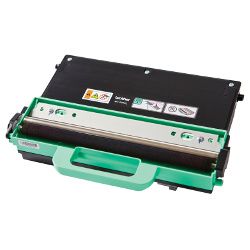
Your Brother MFC-9320CW MFC-9325CW uses the TN-240 toner cartridge series, operating alongside DR-240 drum units and WT-200CL waste toner bottles. We have supplied original and compatible consumables for this printer series since Feb 2012. Daily workplace document processing exhausts black toner much faster than colour cartridges, requiring regular single black replacements between full set updates. Our 4.8 Google rating proves it: we consistently supply premium cartridges backed by rock-solid reliability.




Expected Yield and Output Standards
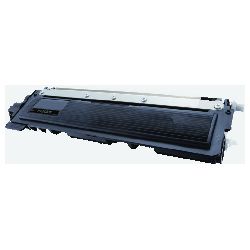
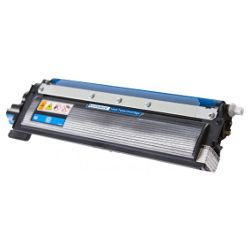
Page ratings for the TN-240 cartridge family follow strict ISO/IEC 19798 ISO testing protocols for colour laser systems. The TN-240BK black cartridge delivers approximately 2,200 pages, while TN-240 cyan, magenta, and yellow cartridges each yield up to 1,400 pages based on 5% page coverage.
| Cartridge Number | Type | Colour | Page Yield | Cost Per Page |
|---|---|---|---|---|
| TN-240BK | Standard | Black | 2,200 | $0.070 |
| TN-240C | Standard | Cyan | 1,400 | $0.055 |
| TN-240M | Standard | Magenta | 1,400 | $0.10 |
| TN-240Y | Standard | Yellow | 1,400 | $0.10 |
Cost Per Page = Total Cartridge Price ÷ Page Yield (at 5% coverage). Prices based on Genuine cartridges.
High-Value Compatible Cartridges
Busy office operations can significantly reduce overall printing costs by switching to generic TN-240 cartridges. Under Australian Consumer Law, using compatible cartridges does not void your printer warranty. In addition, every generic toner comes backed by our money-back guarantee should any performance issues arise. Read our detailed comparison of genuine vs compatible cartridges to evaluate the best cartridge option for your workflow.
Drum Unit and Maintenance Container Replacement
Beyond toner supplies, this laser system depends on separate wearable items including the DR-240 drum unit (rated for 15,000 pages) and the WT-200CL waste toner bottle (rated for 50,000 pages).
Experience Tip: Replacing the TN-240 toner cartridge will not clear a drum lifecycle alert; when installing a new DR-240 drum unit, perform a manual menu reset on the printer control panel to reset the counter back to zero.
Efficient Supply Management and Fast Shipping
If your workplace predominantly prints text documents and invoices, ordering individual TN-240BK black cartridges as needed prevents unnecessary expenditure on colour stock. When all four cartridges run low, purchasing multipack bundles covers complete replenishment in a single order. Free delivery applies on all orders over $99. Orders are dispatched quickly from dispatch centres in Sydney, Melbourne, Brisbane, Perth, and Adelaide. Browse our full range of Brother toner cartridges or consult our Returns policy for full peace of mind.
Pro Tip
When a "Toner Low" message appears, take the TN-240 toner cartridge out and rock it gently side to side five times to redistribute remaining powder inside the reservoir, extending usability before needing a fresh cartridge.
Frequently Asked Questions
Why does my MFC-9320CW or MFC-9325CW display "Replace Drum" after I just put in a new TN-240 toner cartridge?
The TN-240 toner cartridge holds dry toner powder, whereas the DR-240 drum unit electrically transfers that powder onto paper. Because they are separate mechanical parts, installing new toner cartridges does not automatically reset the drum unit's 15,000-page lifecycle counter. You must complete a manual drum counter reset through the printer keypad panel after fitting a new drum unit.
Will my printer continue to print in monochrome if one of the TN-240 colour toners is empty?
No. Brother colour laser printers require active toner levels across all four TN-240 cartridges (Black, Cyan, Magenta, Yellow) to run. If any single colour toner reaches complete exhaustion, all printing stops—including black and white document jobs—to prevent overheating damage to the transfer roller system.
How often does the WT-200CL waste toner bottle need to be changed compared to the DR-240 drum?
The WT-200CL collects residual toner powder scraped during automated cleaning passes and lasts up to 50,000 pages, whereas the DR-240 drum unit wears out after roughly 15,000 pages. The printer displays separate on-screen warnings for each item. Neither unit can be manually emptied, and both should be replaced as individual maintenance alerts pop up.


