
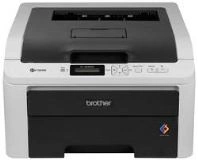
Brother HL-3040CN HL-3045CN Toner Cartridges
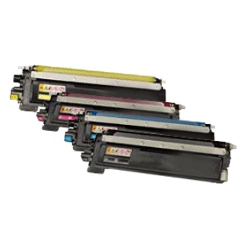
Your Brother HL-3040CN HL-3045CN uses the TN-240 toner cartridge series, working alongside DR-240 drum units and WT-200CL waste toner collectors. Having supplied reliable consumables for this printer series since Feb 2012, we understand office printing dynamics. Daily workplace document output relies heavily on the black toner, causing it to deplete significantly faster than colour cartridges. Our 4.8 Google rating proves it: we consistently supply premium cartridges backed by rock-solid reliability.
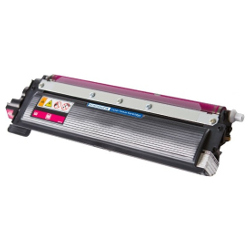
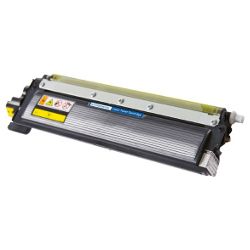
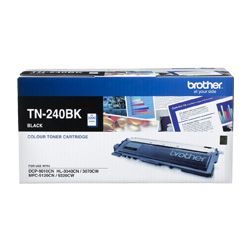


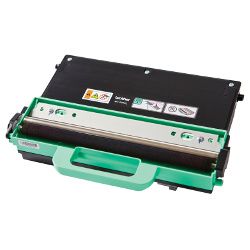


Expected Page Output and Replacement Cycles
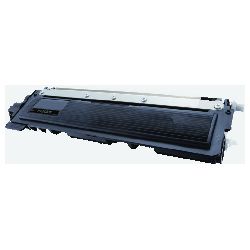
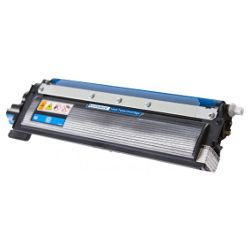
TN-240 toner yields adhere strictly to ISO/IEC 19798 testing standards for colour laser devices. Under standard 5% coverage, the TN-240BK black toner delivers approximately 2,200 pages, while individual TN-240 cyan, magenta, and yellow cartridges produce up to 1,400 pages each.
| Cartridge Number | Type | Colour | Page Yield | Cost Per Page |
|---|---|---|---|---|
| TN-240BK | Standard | Black | 2,200 | $0.070 |
| TN-240C | Standard | Cyan | 1,400 | $0.055 |
| TN-240M | Standard | Magenta | 1,400 | $0.10 |
| TN-240Y | Standard | Yellow | 1,400 | $0.10 |
Cost Per Page = Total Cartridge Price ÷ Page Yield (at 5% coverage). Prices based on Genuine cartridges.
DR-240 Drum Unit and WT-200CL Waste Toner Maintenance
These laser printers feature separate maintenance components including a DR-240 drum assembly rated for 15,000 pages and a WT-200CL waste toner container lasting up to 50,000 pages. Installing a fresh toner cartridge does not reset the drum usage counter.
Experience Tip: After replacing the DR-240 drum unit, you must manually reset the drum counter via the printer menu panel to clear the persistent replacement prompt.
Choosing Between Genuine and Compatible Options
Offices managing tight operational overheads can significantly lower routine expenditures by choosing compatible TN-240 toners. Under Australian Consumer Law, using compatible cartridges does not void your printer warranty. Every compatible cartridge supplied by Ink Depot delivers crisp text and consistent output backed by a performance guarantee. Review our full comparison on genuine vs compatible cartridges.
How Most Workplaces Manage Replacements
If you print mainly text, purchasing black toners individually or selecting four-colour value bundles keeps overall document spending low while preventing unexpected downtime. Selecting compatible cartridges provides substantial savings with a full money-back guarantee included on every order. Free delivery applies on all orders over $99. All items ship rapidly from our nationwide distribution centres in Sydney, Melbourne, Brisbane, Perth, and Adelaide. Browse our full range of Brother toner cartridges or read our Returns policy for easy purchasing confidence.
Pro Tip
When the printer signals low toner, remove the TN-240 cartridge and rock it horizontally side-to-side five or six times to loosen fine powder settled along the internal roller before reinstalling.
Frequently Asked Questions
Why does my HL-3040CN or HL-3045CN continue displaying "Replace Drum" after installing a new TN-240 toner?
The TN-240 toner cartridge holds the fine colour powder, whereas the DR-240 drum unit electrically transfers that powder onto paper. Because they are independent physical parts, changing the toner cartridge never resets the internal 15,000-page drum counter. You must physically reset the counter through the printer button interface when installing a brand-new drum unit.
Will the printer continue printing in black and white if one of the TN-240 colour toners is empty?
No. Brother colour laser printers require all four TN-240 cartridges (Black, Cyan, Magenta, Yellow) to have active, recognised toner levels. If any single colour cartridge reaches complete exhaustion, the internal sensor halts all print jobs until a replacement is installed.
How often does the WT-200CL waste toner bottle need to be replaced?
The WT-200CL collects residual toner powder scraped off the transfer belt during routine cleaning cycles. Rated for approximately 50,000 pages, it fills gradually over several toner life cycles. It is a single-use container that cannot be manually emptied; when full, it must be replaced to prevent loose toner spillages inside the unit.


