
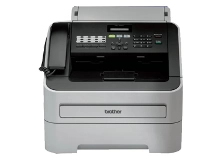
Brother Fax-2950 Toner Cartridges
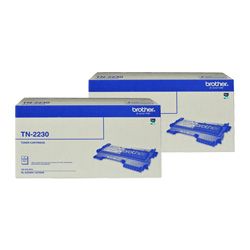
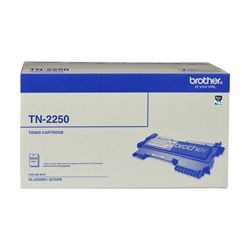
Your Brother Fax-2950 uses the TN-2230, TN-2250 cartridge series alongside the DR-2225 drum assembly. We have supplied reliable consumables for this monochrome workplace system since Sep 2014, keeping small business offices running efficiently. Our 4.8 Google rating is built on dependable cartridge performance and uncompromising product quality. Switching from standard TN-2230 cartridges to high-capacity TN-2250 options significantly cuts physical maintenance stops during heavy document workflow runs.


Real-world page capacity and toner consumption
Brother measures monochrome laser page outputs under ISO/IEC 19752 testing standards at 5% page coverage. The standard TN-2230 delivers roughly 1,200 pages, while the high-yield TN-2250 provides up to 2,600 pages, substantially lowering printing costs for busy office environments.
| Cartridge Number | Type | Colour | Page Yield | Cost Per Page |
|---|---|---|---|---|
| TN-2230 | Standard | Black | 1,200 | $0.081 |
| TN-2250 | High Yield | Black | 2,600 | $0.064 |
Cost Per Page = Total Cartridge Price ÷ Page Yield (at 5% coverage). Prices based on Genuine cartridges.
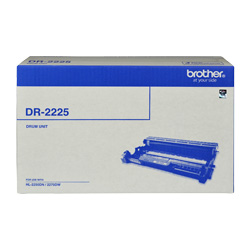
Managing the independent DR-2225 drum unit
Monochrome printing on this model utilises a two-part consumable design where the TN-2230 or TN-2250 toner cartridge locks directly into the DR-2225 drum unit. While the toner cartridge supplies black powder, the optical drum handles image transfer and typically lasts through four high-yield toner replacements.
Experience Tip: When replacing the DR-2225 drum unit, keep the front door open, press Clear/Back, then press 1 to manually reset the drum counter on the panel.
Recommended stocking strategy
For workplaces printing daily text reports, contracts, and fax receipts, purchasing high-yield TN-2250 cartridges minimises supply interruptions. Dispatch is handled quickly from our warehouse locations across Perth, Brisbane, Sydney, Melbourne, and Adelaide. Free delivery applies on all orders over $99. Explore our complete catalogue of Brother toner cartridges or review our customer-friendly returns policy.
Pro Tip
When the printer signals a low toner alert, replace only the internal TN-2230 or TN-2250 toner cartridge; leave the surrounding DR-2225 drum cradle installed until explicit drum warnings or permanent print blemishes occur.
Frequently Asked Questions
Why does the "Toner Life End" message persist after inserting a new TN-2250 cartridge?
Brother monochrome laser printers rely on a small mechanical reset gear on the side of the cartridge to physically trigger an internal sensor lever. If the TN-2250 toner cartridge was not pushed down until it clicked firmly inside the DR-2225 drum unit frame before installation, the gear cannot activate the reset mechanism.
Can I install a high-yield TN-2250 cartridge if my printer previously used a standard TN-2230?
Yes, the TN-2230 and TN-2250 cartridges share identical external dimensions and fit into the same slot within the DR-2225 drum unit. The high-yield TN-2250 simply holds a greater volume of toner powder inside its main chamber.
How do I determine whether the TN-2250 toner cartridge or the DR-2225 drum unit needs replacing?
Faded print density or low toner warnings indicate the TN-2250 toner cartridge is exhausted. Evenly spaced black spots, dark streaks down the page, or a continuous "Replace Drum" message mean the photosensitive roller on the DR-2225 drum unit has reached the end of its operational lifespan.


