
Brother DCP-L1630W Toner Cartridges
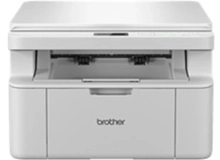
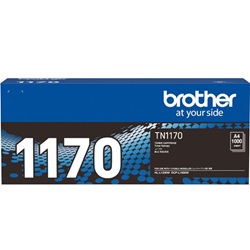
Shop toner cartridges for your Brother DCP-L1630W, which uses the Brother TN1170 toner cartridge series along with the DR1170 drum unit. Ink Depot has been supplying reliable consumables for this printer since Mar 2025. A compact monochrome multi-function laser printer built for crisp document printing, it relies on clean toner transfer for sharp text output. Our 4.8 Google rating reflects a long-standing track record of premium cartridge performance. Switching to compatible TN1170 cartridges provides a budget-friendly option to keep routine office paperwork flowing seamlessly.


Expected Page Output and Replacement Cycles
Standard ISO/IEC 19752 testing standards govern monochrome laser page yields for the TN1170 cartridge series. These figures reflect standard 5% coverage on an A4 page, meaning dense text documents, charts, or heavy graphics will consume toner at a higher rate.
Choosing Between Genuine and Compatible Options
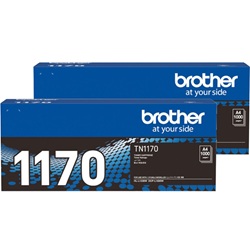
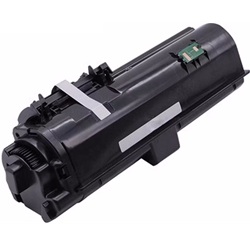
Choosing between original Brother TN1170 toner cartridges and quality compatible alternatives depends on your print budget and preferences. Under Australian Consumer Law, using compatible cartridges does not void your printer warranty. High-grade compatible TN1170 cartridges deliver crisp, clear black text for general office documents at a significantly reduced running cost. To learn more about how third-party options perform, read our genuine and compatible cartridges guide.
Managing the DR1170 Drum Unit
Unlike all-in-one laser systems, your printer uses a separate DR1170 drum unit that lasts up to 10,000 pages-meaning you will replace several TN1170 toner cartridges before the drum requires changing. Experience Tip: After fitting a new DR1170 drum, you must manually reset the printer drum counter through the control panel to clear the replacement message and ensure accurate lifespan tracking.
Best Way to Stock These Cartridges
If you primarily print standard text invoices, letters, or daily reports, stocking multi-packs or compatible TN1170 cartridges significantly lowers your ongoing printing expenses. All our compatible cartridges are backed by a full money-back guarantee under our comprehensive Returns policy. Free delivery applies on all orders over $99, with fast dispatch available from our distribution centres in Perth, Brisbane, Sydney, Melbourne, and Adelaide. Browse our complete range of Brother toner cartridges to find the ideal setup for your workspace.
Pro Tip
When your printer displays a "Toner Low" message, gently remove the TN1170 cartridge and rock it side-to-side horizontally a few times before reinserting it; this redistributes any remaining toner powder and extends printing for a short period while your replacement order arrives.
Frequently Asked Questions
Why does my printer display "Replace Drum" even after I installed a new TN1170 toner cartridge?
The TN1170 toner cartridge and the DR1170 drum unit are distinct components with completely separate replacement schedules. Replacing the toner cartridge does not reset the drum lifecycle counter; if the DR1170 drum has reached its 10,000-page limit, it must be replaced and its counter manually reset on the printer panel.
Can I install a high-yield toner cartridge in the Brother DCP-L1630W?
This model specifically uses the standard-yield TN1170 toner cartridge rated for approximately 1,000 pages. Ensure you verify cartridge model compatibility before purchase, as physical dimensions differ across other Brother laser series.
What should I do if my printouts show repeating faint black spots or lines?
Repeating marks are usually caused by tiny debris or dried toner stuck on the roller surface of the DR1170 drum unit rather than a defect in the TN1170 toner cartridge. Removing the drum assembly and carefully cleaning the drum roller with a dry cotton swab usually restores crisp print output.


