
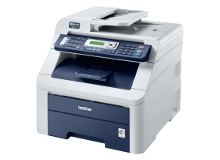
Brother DCP-9010CN Toner Cartridges
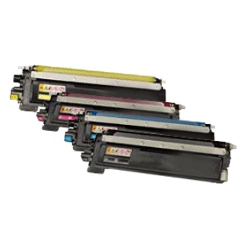
Your Brother DCP-9010CN uses the TN-240 toner cartridge series alongside DR-240 drum units and WT-200CL waste toner bottles. We have supplied reliable consumables for this printer since May 2010. Because color laser printing places heavy demand on the black cartridge during regular office administration, black toners naturally require replacing more frequently than cyan, magenta, or yellow. Our 4.8 Google rating proves it: we consistently supply premium cartridges backed by rock-solid reliability.
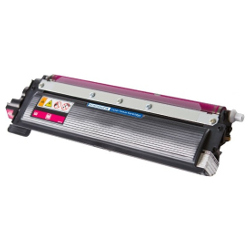
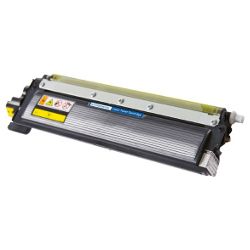
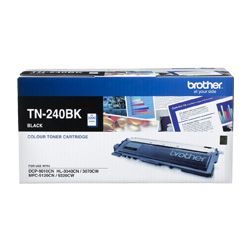


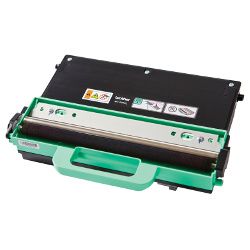

Expected Page Output and Replacement Cycles
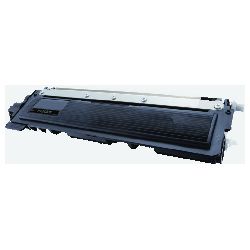
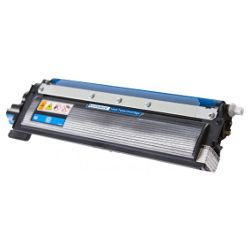
Page yields for the TN-240 toner series follow ISO/IEC 19798 testing standards for colour laser printing, rating the TN-240BK black toner at approximately 2,200 pages and each standard colour toner (cyan, magenta, yellow) at 1,400 pages at 5% coverage.
| Cartridge Number | Type | Colour | Page Yield | Cost Per Page |
|---|---|---|---|---|
| TN-240BK | Standard | Black | 2,200 | $0.070 |
| TN-240C | Standard | Cyan | 1,400 | $0.055 |
| TN-240M | Standard | Magenta | 1,400 | $0.10 |
| TN-240Y | Standard | Yellow | 1,400 | $0.10 |
Cost Per Page = Total Cartridge Price ÷ Page Yield (at 5% coverage). Prices based on Genuine cartridges.
Choosing Between Genuine and Compatible Options
For workplaces aiming to reduce overall office printing costs, compatible TN-240 cartridges provide an economical alternative without compromising page yield or print clarity. Under Australian Consumer Law, using compatible cartridges does not void your printer warranty. Compatible toners supplied by Ink Depot come with a money-back performance guarantee. For a detailed comparison, read our guide on genuine vs compatible cartridges.
DR-240 Drum Unit and WT-200CL Waste Toner Maintenance
Unlike integrated systems, the Brother DCP-9010CN uses a separate drum unit (DR-240) rated for up to 15,000 pages and a waste toner box (WT-200CL) rated for 50,000 pages. Replacing a toner cartridge will not reset your drum lifecycle counter.
Experience Tip: When replacing the DR-240 drum unit, you must manually reset the drum counter on the printer menu screen to clear the "Replace Drum" warning message.
How Most Workplaces Manage Replacements
If you print mostly text documents, ordering black toners in multi-packs or bundle sets helps maintain uninterrupted office workflow. When buying compatible options, every purchase includes a full money-back guarantee for complete peace of mind. Free delivery applies on all orders over $99. We dispatch daily from local warehouse hubs in Sydney, Melbourne, Brisbane, Perth, and Adelaide for quick delivery across Australia. Explore our complete range of Brother toner cartridges or check our full Returns policy for complete order reassurance.
Pro Tip
When the printer displays a "Toner Low" message, removing the TN-240 toner cartridge and gently rocking it side-to-side redistribution redistributes the remaining powder, allowing you to print a few dozen urgent pages while waiting for fresh supplies.
Frequently Asked Questions
Why does my DCP-9010CN show "Replace Drum" immediately after installing a new TN-240 toner cartridge?
The toner cartridge (TN-240) and drum unit (DR-240) are completely separate components. The toner holds the colour powder, while the drum transfers that powder onto the paper. Installing a fresh toner cartridge does not reset the 15,000-page drum counter, which must be manually reset through the printer panel once a new drum is physically installed.
Can I run individual colour toners until empty, or will printing pause entirely?
The Brother DCP-9010CN requires all four toner cartridges (Black, Cyan, Magenta, Yellow) to have detectable powder levels to function. If any single colour cartridge is completely exhausted, the printer locks all print, copy, and fax functions—even for plain black text documents.
How does the WT-200CL waste toner bottle work, and when should it be replaced?
During normal colour laser printing, small amounts of excess toner powder are swept off the drum belt and directed into the WT-200CL waste toner container. Rated for approximately 50,000 pages, it fills up slowly over time and cannot be emptied or washed; it must be replaced with a new unit when the printer alerts you to prevent internal overflow.


