
Kyocera TK-6119 Toner Cartridges
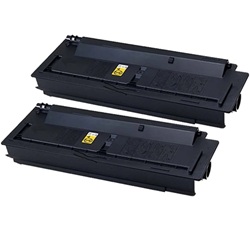
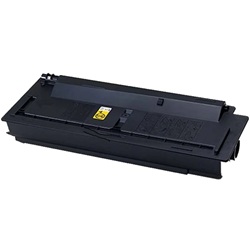
Keep your Kyocera Ecosys M4125idn or M4132idn running smoothly with high-capacity TK-6119 toner cartridges, available in genuine and compatible single units or cost-effective twin packs. Choosing compatible cartridges cuts your printing costs nearly in half while maintaining crisp text output. Our 4.8 Google Star rating shows that our customers consistently receive high-quality cartridges backed by reliable performance.
Printers Compatible with Kyocera TK-6119 Toner Cartridges




Expected page output and replacement cycles
Each TK-6119 black toner cartridge delivers an estimated 15,000 pages based on the ISO/IEC 19752 standard for monochrome laser printing, ensuring long-lasting output for high-volume office tasks.
| Cartridge Number | Type | Colour | Page Yield | Cost Per Page |
|---|---|---|---|---|
| TK-6119 | Standard | Black | 15,000 | $0.011 |
Cost Per Page = Total Cartridge Price ÷ Page Yield (at 5% coverage). Prices based on Genuine cartridges.
Choosing between genuine and compatible options
Opting for compatible cartridges reduces your cost per page from 1.1 cents to just 0.6 cents without sacrificing document legibility. Under Australian Consumer Law, using compatible cartridges does not void your printer warranty. Read our comprehensive genuine vs compatible cartridge guide to evaluate what works best for your office.
Best way to stock these cartridges
High-volume office environments running the M4125idn or M4132idn should consider two-pack bundles to secure lower unit prices and eliminate sudden downtime. Compatible options include a money-back guarantee, allowing risk-free savings. If you need return assistance, view our returns policy. Free delivery applies on all orders over $99, shipped directly from our warehouses in Perth, Brisbane, Sydney, Melbourne, and Adelaide. Explore our full range of Kyocera toner cartridges for all your printing needs.
Pro Tip
Always let the printer sit idle for a few minutes after replacing the TK-6119 cartridge to allow the internal hopper to properly meter the fresh black toner powder before commencing large print runs.
Frequently Asked Questions
Why does my Kyocera printer still request toner after installing a fresh TK-6119 cartridge?
The Ecosys M4125idn and M4132idn series store toner in an internal reservoir before feeding it to the developer unit. After installing a new TK-6119 cartridge, the printer requires up to 3–5 minutes to cycle and replenish this sub-hopper. Do not turn off the printer or reopen the front door during this priming phase.
Will using compatible TK-6119 cartridges damage my drum unit?
High-quality compatible TK-6119 cartridges use fine-grade microfine black toner formulation matched to Kyocera's ceramic drum specifications. This prevents abrasive particle build-up on the drum surface, preserving long-term component life.
How should I store spare TK-6119 twin packs to prevent print defects?
Store sealed TK-6119 cartridges horizontally in a cool, dark place below 30°C. Storing them vertically causes toner powder to clump at one end, leading to uneven density or pale vertical bands across your first few hundred prints.


