
Kyocera TK-17 Toner Cartridges
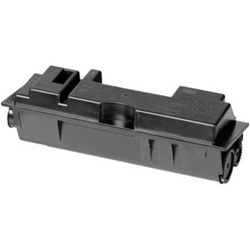
Kyocera TK-17 compatible toner cartridges provide a dependable, highly cost-effective printing solution for your Kyocera FS-1000 or FS-1010 laser printer. Available in standard single units and money-saving multi-packs, these Black cartridges allow high-volume business environments to maintain crisp text output while keeping printing costs low. Our 4.8 Google Star rating shows that our customers consistently receive high-quality cartridges backed by reliable performance.
Expected page output and replacement cycles
The TK-17 Black cartridge delivers an estimated yield of 6,000 pages calculated in accordance with ISO/IEC 19752 standard testing for monochrome laser printers. Actual page output varies based on document coverage, print density, and job size during everyday business use.
| Cartridge Number | Type | Colour | Page Yield | Cost Per Page |
|---|---|---|---|---|
| TK-17 | Standard | Black | 6,000 | $0.002 |
Cost Per Page = Total Cartridge Price ÷ Page Yield (at 5% coverage). Prices based on Compatible cartridges.
Understanding compatible TK-17 toner cartridges
Since genuine Kyocera TK-17 units are no longer actively produced, third-party compatible cartridges offer the primary way to keep legacy FS-series printers operational. Under Australian Consumer Law, using compatible cartridges does not void your printer warranty. Read our genuine vs compatible cartridges guide to learn more about performance standards and manufacturing testing.
Ordering TK-17 cartridges and delivery details
If you print high volumes of general text documents, ordering multi-packs reduces downtime and offers greater value. All third-party replacements include a money-back guarantee for complete peace of mind, backed by our clear returns policy. Free delivery applies on all orders over $99. We dispatch stock rapidly from our national warehouse network in Perth, Brisbane, Sydney, Melbourne, and Adelaide to ensure quick arrival. Explore our full range of Kyocera toner cartridges for other model requirements.
Expert tip for TK-17 cartridge installation
Before installing a fresh TK-17 cartridge into your printer, gently shake the toner bottle horizontally from side to side five to six times. This redistributes settled toner powder evenly across the internal hopper, preventing faint vertical band streaks on initial printouts.
Compare Kyocera TK-17 Toner Cartridges
Save with Compatible Cartridges
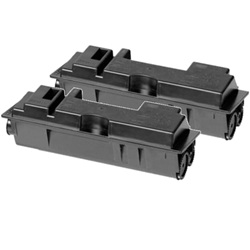
Watching the budget? Compatible cartridges cost less than genuine toner, with a single TK-17 Black cartridge from $10.91 or a 2-pack TK-17 for $21.38.
Frequently Asked Questions
Does the TK-17 toner cartridge include the imaging drum unit?
No, the TK-17 is a standalone toner bottle cartridge. Kyocera desktop printers use a long-life ceramic drum unit that remains inside the printer and typically lasts through several toner replacement cycles before needing renewal.
Why are printouts faint after inserting a new compatible TK-17 cartridge?
Faint output usually occurs when toner powder has compacted during transit or storage. Removing the cartridge, rocking it gently horizontally, and re-inserting it allows the internal feed mechanism to properly engage and supply toner.
What should I do if the printer displays a 'Toner Low' warning immediately after installing a new TK-17?
Ensure the cartridge sensor lever locks firmly into place when inserted. If the printer fails to register the new unit, power down the printer for 30 seconds to clear memory, re-seat the toner bottle, and turn it back on.
Is TK-17 the same as TK17?
Yes, TK-17 and TK17 refer to the exact same Kyocera Black toner cartridge; the hyphen is simply a formatting variation used across different product lists and retailers.


