
HP 61 & HP 61XL Ink Cartridges
HP 61 and HP 61XL ink cartridges for selected HP DeskJet, ENVY and OfficeJet printers work as a pair: one black and one tri-colour holding cyan, magenta and yellow, so all three colours are replaced together. Both come in standard 61 or higher-yield 61XL, with compatible 61XL cartridges as a cheaper alternative to genuine HP, plus black and tri-colour combo packs. Our 4.8 Google Star rating shows that our customers consistently receive high-quality cartridges backed by reliable performance.
Printers Compatible with HP 61 & HP 61XL Ink Cartridges
.jpg)

.jpg)

.jpg)
.jpg)


.jpg)
.jpg)


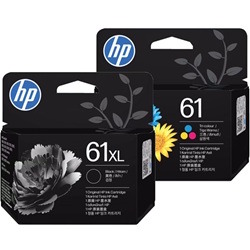
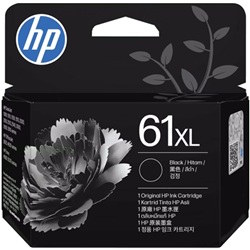

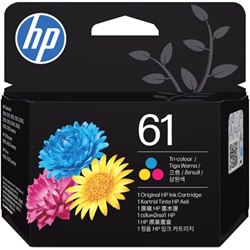

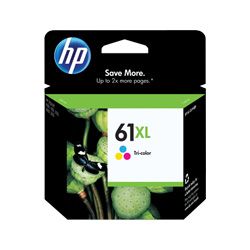
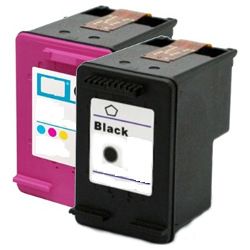
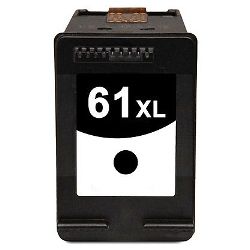


How many pages each HP 61 cartridge prints
HP rates genuine 61 and 61XL yields under ISO/IEC 24711. Standard 61 black (CH561WA) is rated at 190 pages and tri-colour (CH562WA) at 165. 61XL raises this to 480 pages for black (CH563WA) and 330 for tri-colour (CH564WA). Our compatible 61XL cartridges carry the same listed yields.
| Cartridge Number | Type | Colour | Page Yield | Cost Per Page |
|---|---|---|---|---|
| 61 | Standard | Black | 190 | $0.25 |
| 61 | Standard | Colour | 200 | $0.41 |
| 61XL | High Yield | Black | 480 | $0.21 |
| 61XL | High Yield | Colour | 330 | $0.33 |
Cost Per Page = Total Cartridge Price ÷ Page Yield (at 5% coverage). Prices based on Genuine cartridges.
Choose Between HP 61 & 61XL Ink Cartridges
Print More with XL Cartridges
Want longer between reorders? The 2-Pack 61XL Genuine (from $156.61) gives the same full-colour coverage with a higher page yield per cartridge and also qualifies for free delivery.
Replace Just One Colour
If only one colour has run dry, there's no need to replace the rest - a single Genuine 61 Black cartridge (from $46.82) lets you replace only the colour that has run out.
Save with Compatible Cartridges
Compatible cartridges are made for the same printers and cost less, with a single 61XL Colour cartridge from $29.18 or a 3-pack 61XL for $85.80.
Choosing between 61, 61XL and combo packs
If you print mainly text, the 61XL black lifts rated output from 190 to 480 pages. If you print colour photos, the 61XL tri-colour gives 330 pages against 165 for the standard 61. The genuine combo pack pairs 61XL black with standard 61 tri-colour. The compatible pack pairs both 61XL cartridges. Compatible 61XL cartridges are the cheaper option and come with a money-back guarantee if they don't work. See our returns policy. Free delivery applies on all orders over $99. Orders ship from our warehouses in Perth, Brisbane, Sydney, Melbourne and Adelaide. Browse more HP ink cartridges.
What to know about compatible 61XL cartridges
Our compatible range covers the 61XL black (CH563WA) and 61XL tri-colour (CH564WA), plus a pack containing both. There is no compatible version of the standard 61. Using a compatible cartridge does not by itself remove your rights under Australian Consumer Law. However, damage caused by a faulty cartridge may not be covered by the printer manufacturer's warranty. For a fuller comparison, read our genuine vs compatible cartridges guide.
Pro Tip
You don't have to upgrade both cartridges at once. HP's genuine combo pack pairs a 61XL black with a standard 61 tri-colour. If most of your printing is text, you can buy the 480-page black cartridge and keep the 165-page standard tri-colour.
Frequently Asked Questions
Can I replace just one colour in the HP 61 tri-colour cartridge?
No. Cyan, magenta and yellow are held in a single tri-colour cartridge, so you replace the whole cartridge even if you use one colour more heavily. If your colour pages lean on one shade, the 61XL tri-colour (CH564WA) is rated at 330 pages, compared with 165 pages for the standard 61 tri-colour (CH562WA).
Is there a compatible version of the standard HP 61 cartridge?
No. Our compatible range for this series is 61XL only: black (CH563WA), tri-colour (CH564WA) and a pack containing both. HP 61 and 61XL cartridges are interchangeable, so a compatible 61XL can replace a standard genuine 61 in the same printer.
For mostly text printing, should I buy a genuine 61 black or a compatible 61XL black?
Compare the yields first. The genuine standard 61 black (CH561WA) is rated at 190 pages, and the compatible 61XL black (CH563WA) is listed at 480 pages. The yield table above shows the current cost per page for each option, so you can see the difference before ordering.
Is HP 61XL the same as HP 61 XL?
Yes. HP 61XL and HP 61 XL refer to the same high-yield cartridge. The space is only a formatting difference. This applies to both the black (CH563WA) and tri-colour (CH564WA) 61XL cartridges.


